QuackBack
Commitments to your friends should not be muddled due to your busy life.
Team
Lim

Wang

Zhang

Kim

Problem and Design Overview
Many university students face significant barriers to maintaining their existing relationships, not because they lack the desire to connect, but because they lack the mental energy or space required to initiate it. Academic demands, work commitments, and mental health struggles often consume their cognitive bandwidth, making even small social efforts feel overwhelming. We aim to make sustaining meaningful relationships feel more manageable and intuitive.
Through our research, we found that one of the most effective ways to lower this “activation barrier” is to provide students with timely cues—natural or intentionally designed reminders that bring specific friends or social opportunities to mind. These cues help externalize the effort of remembering, prompting students to reach out when they otherwise might not have the capacity to generate ideas for interaction.

QuackBack helps you remember to talk to your friends!
Design Walkthrough
QuackBack is a color-changing duck trinket paired with an app. Both components work together to deliver contextual signals to help students maintain relationships. The trinket will provide visual and audio signals in the real world, separated from the emotional burden that our phones can introduce. The app adds more functionalities to encourage a balance in social interaction for the user. It combines manual logging of social interaction the user with limited automatic tracking to provide timely reminders to reach out to friends. Users can pause it when needed, set limits to avoid prolonged silence, and sync busy hours for unobtrusive support.
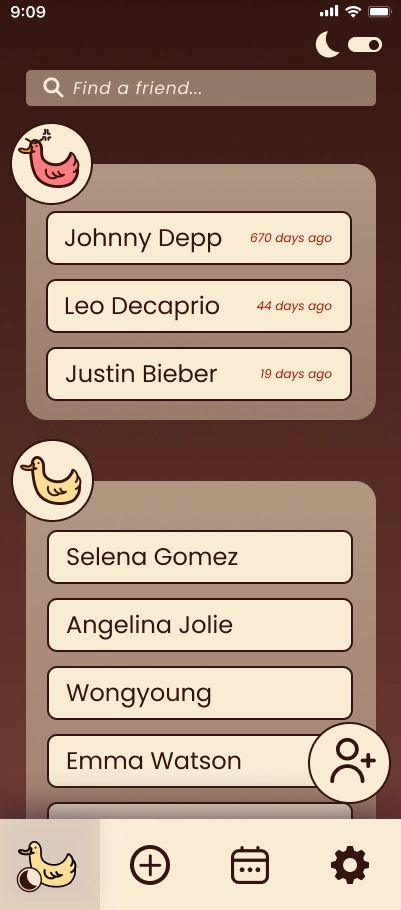
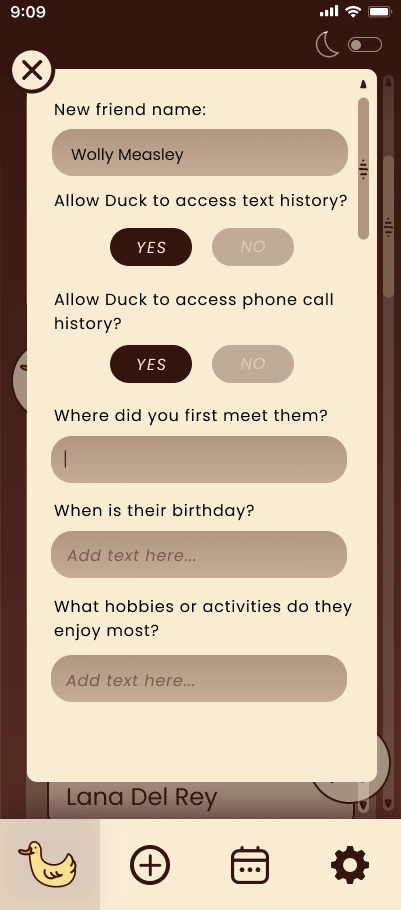
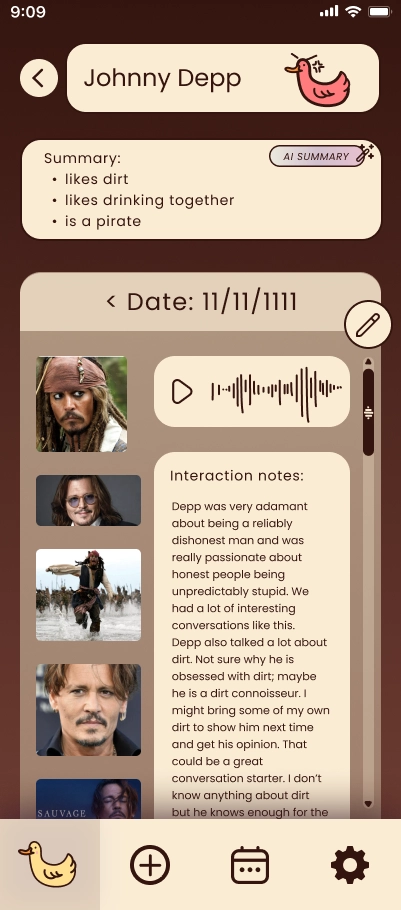
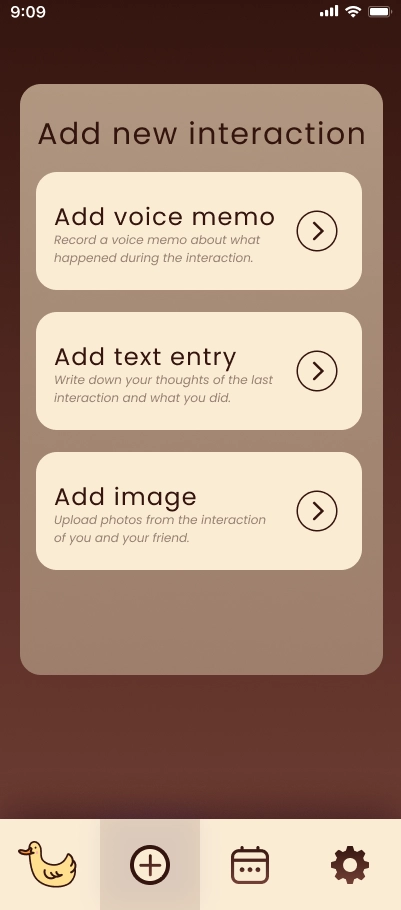
Various features of the app.
Reaching out to friends
QuackBack helps students reconnect by providing subtle, timely cues. When users have not interacted with a friend for a while, the duck-shaped trinket glows red and quacks a couple times, signaling that it might be a good moment to check in. Through the companion app, users can open that friend’s profile to review past interaction logs—voice notes, photos, or text entries—to remind themselves of shared moments. These can serve as conversation starters.
After users hang out or catch up, they can easily log the interaction with a quick voice note, text entry, or image upload; the variety of mediums seek to make interaction tracking low-stress and accessible. Note that these interactions are not just restricted to in-person interactions, but online as well, if the user allows the app to access call history and text notification history. This builds a personal history of the user's relationships that QuackBack can draw from in the future. After reconnecting, the duck pulses green, reflecting a healthy, active connection and reinforcing the positive effort the user has made.
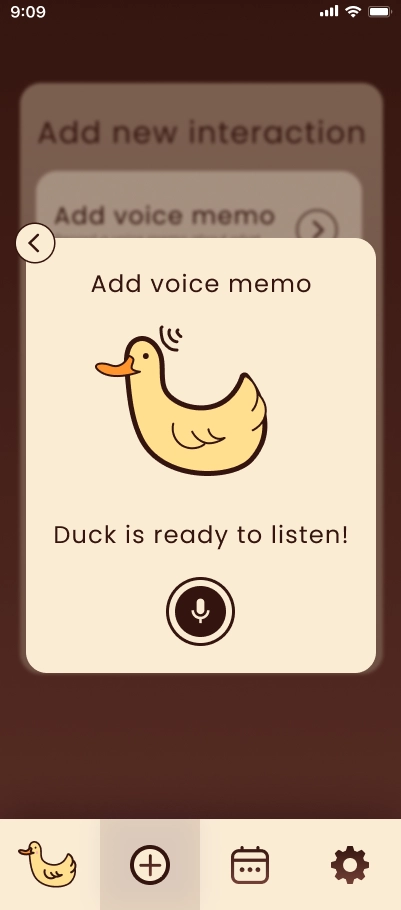
Users log interaction information for each friend which can become cues in the future.
Balancing social goals and mental health
QuackBack supports students in maintaining relationships without overwhelming their mental bandwidth. Using the calendar feature, users can import or add their schedule to set dedicated “quiet mode” periods. During these times, the duck will not glow red or quack, ensuring it never adds pressure when users are busy or drained.
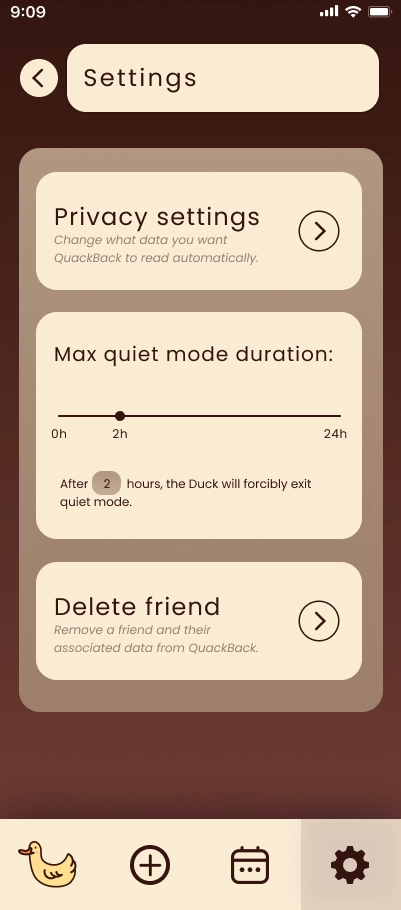
If users need additional quiet time beyond what is on their calendar, the app allows them to toggle quiet mode at any moment. Users can also tap the duck to signal it to enter quiet mode when they don't have the app handy. While a user is in quiet mode, the app will enforce the maximum quiet mode duration that the user configured in settings. This ensures QuackBack respects user boundaries while still helping them stay connected on their own terms.
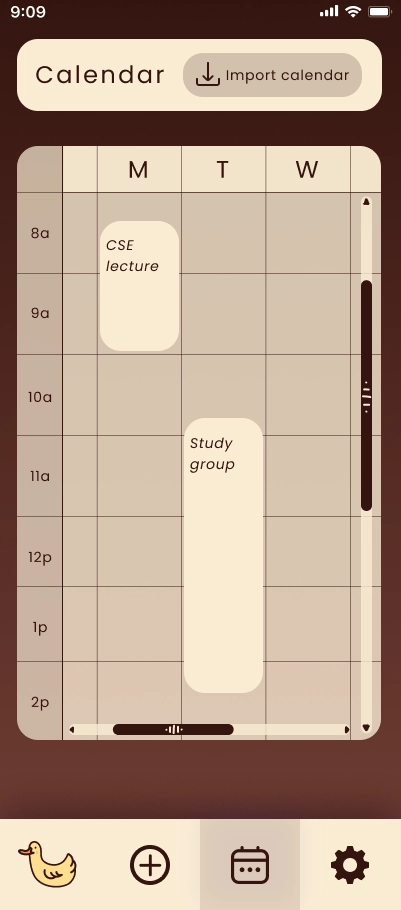
Customizable do not disturb settings allow users to take time for themselves whenever they need it.
Design Research and Key Insights
Our participants were University of Washington students who often felt they were not meeting their own social expectations, such as common forgetfulness or not reaching out as much as they would like, and who all identified at least one close friend they genuinely cared about.
To understand their interaction patterns and barriers, we structured our research around two components. First, a personal inventory captured numerical data on how often participants communicated, with whom, through which mediums, and in what contexts, helping us identify behavioral patterns. Second, interviews encouraged students to reflect on why they struggle to engage with their existing circles. Together, these methods revealed key factors driving dissatisfaction and clarified where support is most needed.
Comfort and emotional well-being shape social engagement
For many students, emotional well-being strongly influence when and how they socialize, even with close friends. Participants shared that they only engage in social activities when it doesn't pose a threat to their mental health. If they feel tired or mentally unwell, they intentionally withdraw from most social interaction until they regain stability. This highlights how maintaining well-being is essential for enabling consistent, meaningful social interaction.
As a result, we knew that QuackBack would have to find the balance between being overly pushy with a user's social life and not being noticeable enough. Even though we want to push users out of their comfort zones a little bit to maintain their existing relationships if necessary, we don’t want to cross these boundaries that they are absolutely unwilling to give up, i.e. forcing users to neglect their mental well-being. As a result, our design avoids using overly serious consequences to incentivize the user into socialization; instead, we gently nudge them towards interaction by helping them overcome the initial activation barrier.
Obligations override social intentions
College students consistently prioritize obligations such as academics and career responsibilities over their physical and emotional well-being over choosing to socialize. When they feel stressed, short on time, emotionally drained, anxious, or tired, they intentionally withdraw from interactions. Two of our interview participants highlighted this pattern: P1 and P2 both juggle demanding academic workloads that have gradually led to increasing social isolation, and their pursuit of career goals have diminished the bandwidth available for interaction. These examples emphasize that students have firm personal limits they are unwilling to compromise.
This insight inspired us to allow users to set specific "quiet mode" durations in which they do not receive visual or audio cues to interaction so that they can focus on tasks like studying or working. To facilitate coordinating their schedules with QuackBack, students are able to import their calendars into the app, causing the duck to enter "quiet mode" during busy times without extra prompting.
Lack of reason to reach out
Throughout our design research investigating the interaction patterns and barriers of college students, we found that many students would only initiate social interactions with their friends over a common ground. Whether that be an event, shared interest, course work, career goals, etc., many students need a common ground and cues to get started talking. Some cues often relate to these shared qualities between friends such as instagram reels that remind them of a friend, or an experience that reminds them of their friend(s). These often serve the basis for reaching out to their friend(s) and maintaining social connection.
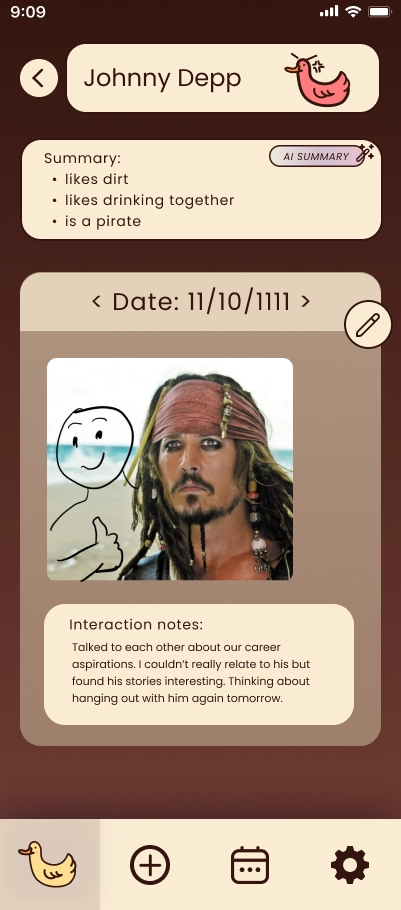
View specific interactions per friend for each date.
Iterative Design and Key Insights
After developing our paper prototype from initial sketch feedback, we iteratively refined our design through heuristic evaluations and usability testing. These methods revealed two major challenges: a lack of clarity around navigation and user control, and unclear affordances that made core actions difficult to perform. Participants frequently struggled to understand the app’s purpose, feature flows, and how to execute key tasks such as adding friends or setting up the DND calendar. Even after initial revisions, usability tests showed persistent confusion across many primary features. These insights guided us to strengthen visual cues, improve navigation, add walkthroughs, and refine workflows shaping a more intuitive, supportive user experience.
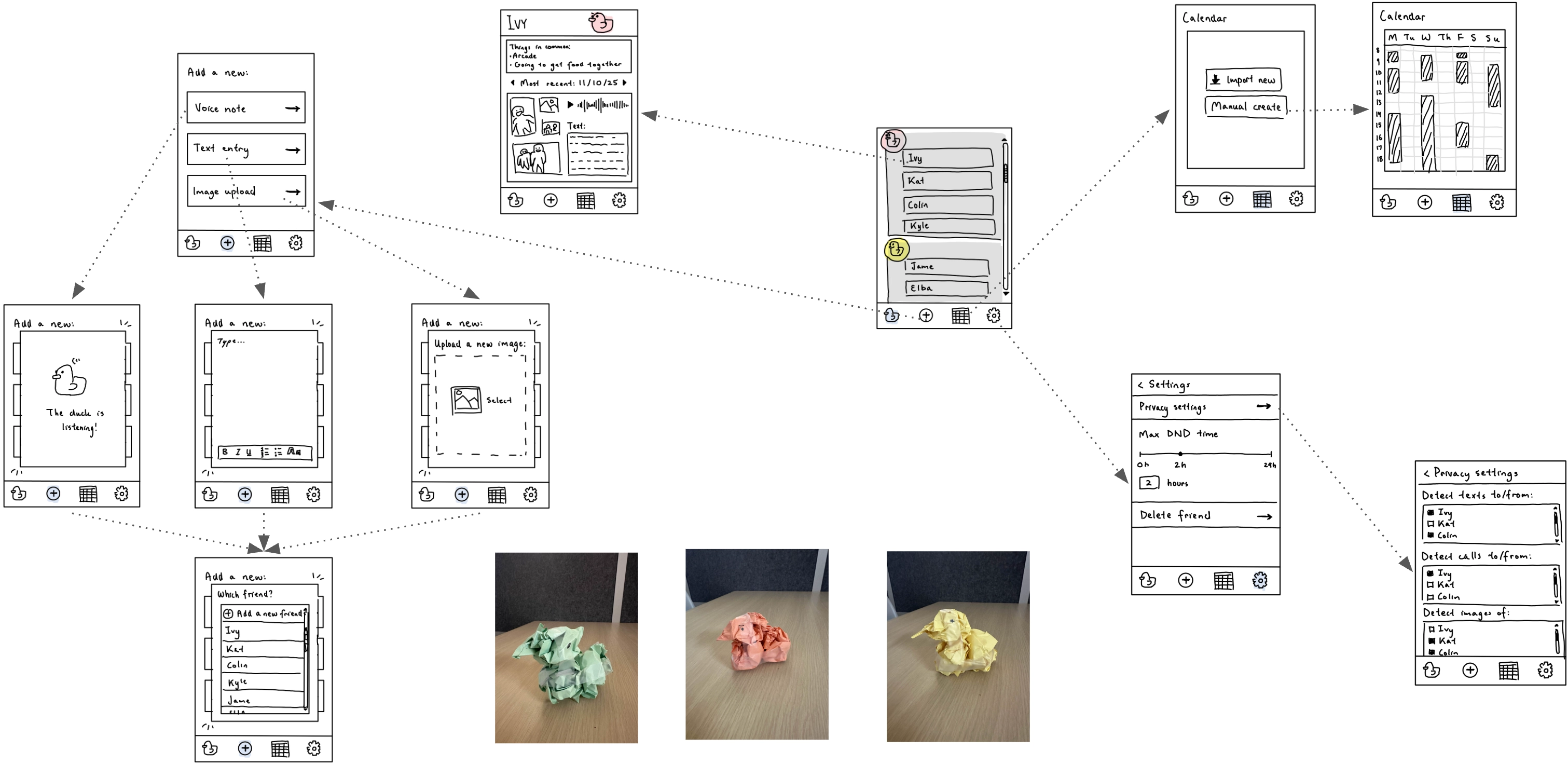
Initial paper prototype.
Lack of clarity and user control hindered navigation
The majority of our heuristic evaluation feedback centered on issues of user control, freedom, and overall clarity. Even though our prototype incorporated familiar visual signals, many evaluators struggled to understand the app’s purpose, page flows, and component interactions without additional context. Users frequently felt stuck, noting unclear paths for actions such as adding friends, allowing/disallowing the app to access text/call information, and setting up the DND calendar. The DND feature, in particular, was widely misunderstood as most participants were unsure of what it was for or how it functioned. In response, we incorporated clearer visual cues, more intuitive navigation elements, and additional guidance to make key tasks and features easier to understand.
Key features lacked usability and clear affordances
Despite improvements made after heuristic testing, our usability tests revealed persistent confusion across all three sessions. Participants frequently struggled to understand how to complete core actions or where to locate key features. Adding a friend, for example, remained highly ambiguous (since we had 2 types of + icons). Futhermore, the visual separation between components lacked clear affordances, making it difficult for users to determine how to interact with different elements. For example, all testing participants struggled to understandhow to import calendar, use the calendar, and the purpose of the calendar within our mockup. This pattern appeared across nearly all major features. In response, we refined the prototype by strengthening visual cues, adding guided walkthroughs, and simplifying or enhancing workflows to better support users as they navigate essential tasks.
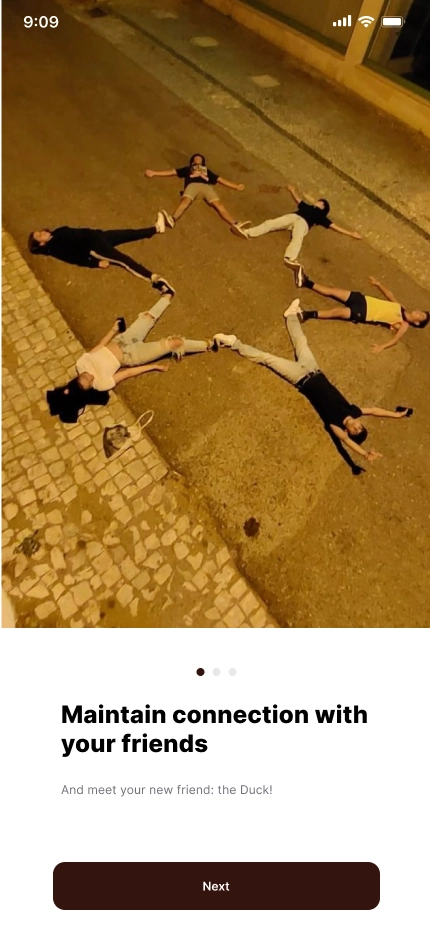
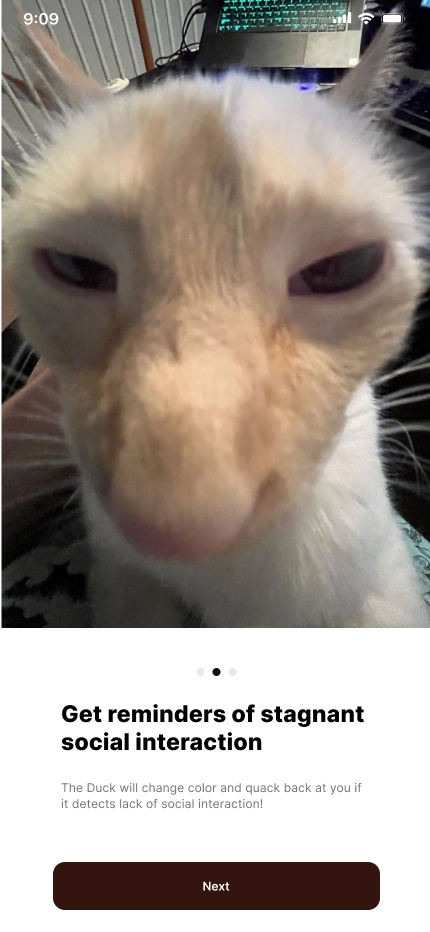
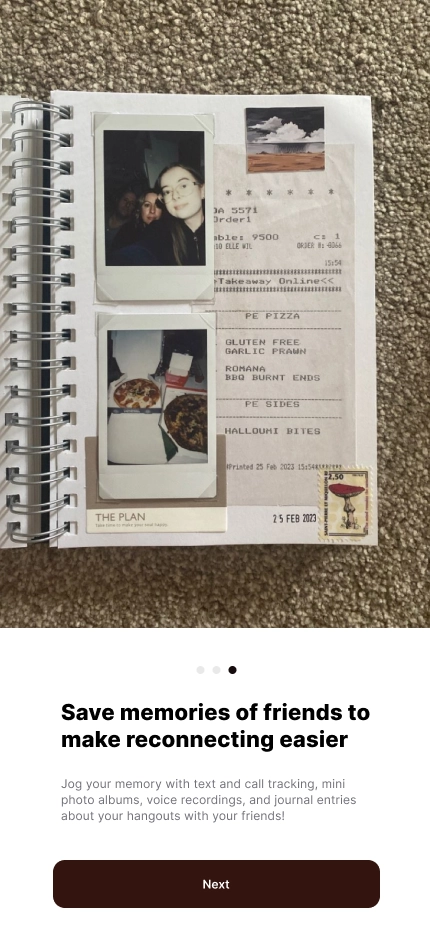
Added walkthrough screens guide users through the app purpose.
Privacy and controlled access are essential
Participants emphasized that any social-support tool must respect strict boundaries around personal data. They want full control over what QuackBack can access—whether photos, messages, calendars, or interaction logs—and expect the system to use only what they explicitly allow. Even helpful features, like automatic detection of interactions, can feel invasive if not clearly consented to or easily adjustable. Transparent permissions and the ability to opt in or out at any time is crucial. However, that quality of our design was not clear to all our participants, leading to recurring feedback on concerns despite iterating the design. To address this, we incorporated walkthroughs and added more descriptions to encourage visibility of this characteristic.
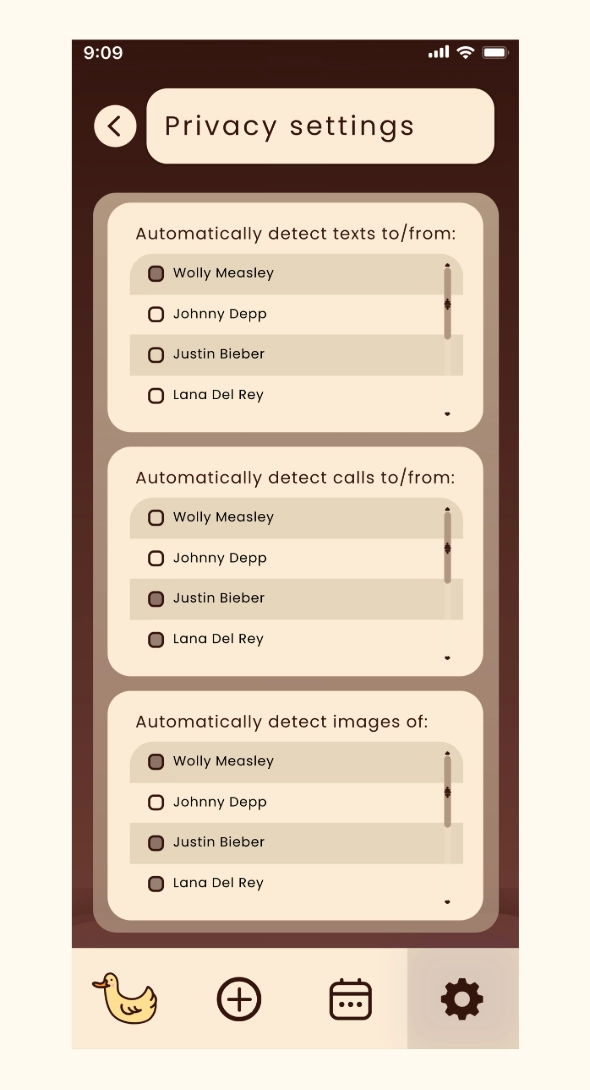
Privacy settings page.