FocusFlow
AI-supported weekly planning for students
Team
Rao

Sekhar
Pao

Godse
Jaber

Problem and Design Overview
Balancing coursework, jobs, social commitments, and personal downtime is a constant challenge for students, and the tools meant to help such as Google Calendar, Canvas, Notes apps, and even memory, often make planning feel more overwhelming than helpful. From our interviews and diary studies, we learned that students rarely struggle with knowing what needs to get done. Instead, they struggle with keeping up when their day changes, estimating how long tasks will actually take, and understanding when they’re realistically able to focus. Existing tools feel rigid, time-consuming, and are easily abandoned once life becomes unpredictable.
FocusFlow is designed to reduce this planning burden by introducing Nero, an AI assistant that helps students generate a weekly schedule based on their upcoming priorities, energy levels, and existing commitments. Rather than manually building their entire calendar from scratch, students can review, accept, or adjust Nero’s proposed schedule, giving them a more flexible starting point that reflects how their week might realistically unfold.
The goal of this approach isn’t to automate planning entirely, but to provide guidance and scaffolding. By combining AI-generated suggestions with student control, FocusFlow aims to make weekly planning feel more approachable, less stressful, and more aligned with how students actually live.
The FocusFlow logo represents Nero’s role in helping students reflect, adapt, and plan their week with clarity.
Design Walkthrough
FocusFlow is organized around a weekly planning flow that begins with reflection and ends with schedule generation. Our two focus tasks highlight this core experience. The first task, Reflect on Time Spent During the Week, helps students review how their last week actually went and give Nero meaningful context about their workload and energy levels. The second task, Generate a Schedule That Fits Priorities, shows how Nero uses that context and upcoming commitments to draft a realistic weekly plan that students can edit and adapt.
Reflect on Time Spent During the Week
In this task, students begin the weekly cycle by reviewing how their last week unfolded. Nero presents a summary of completed events and time spent across categories like school, work, and personal activities, alongside simple visual cues to highlight balance or overload. Students then answer a few short reflection prompts about what felt sustainable and what caused stress or burnout. This step gives Nero context that a raw calendar can't capture such as which days felt too packed or which routines actually helped so the upcoming plan can be grounded in how the student really experienced their week.
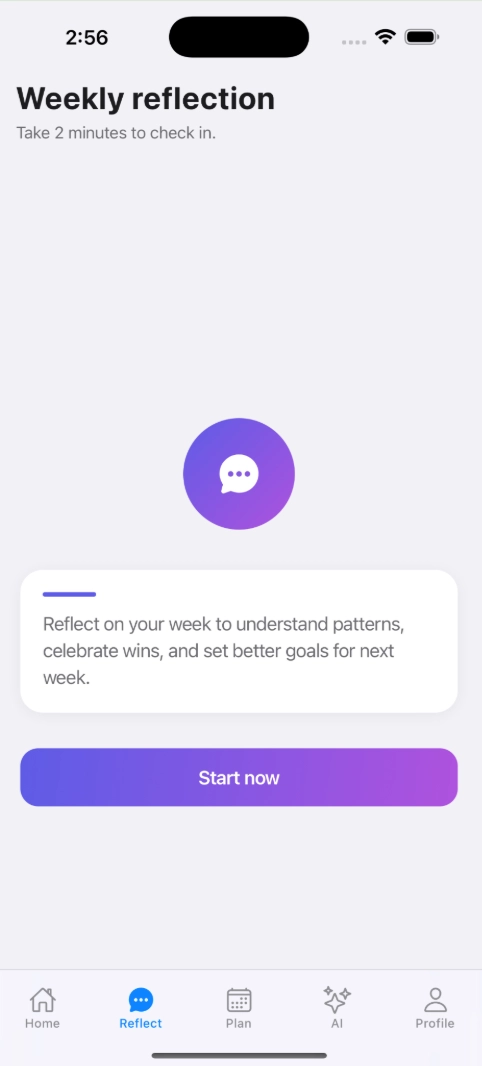
Students start by reviewing a breakdown of how they spent their time across school, work, and personal activities.
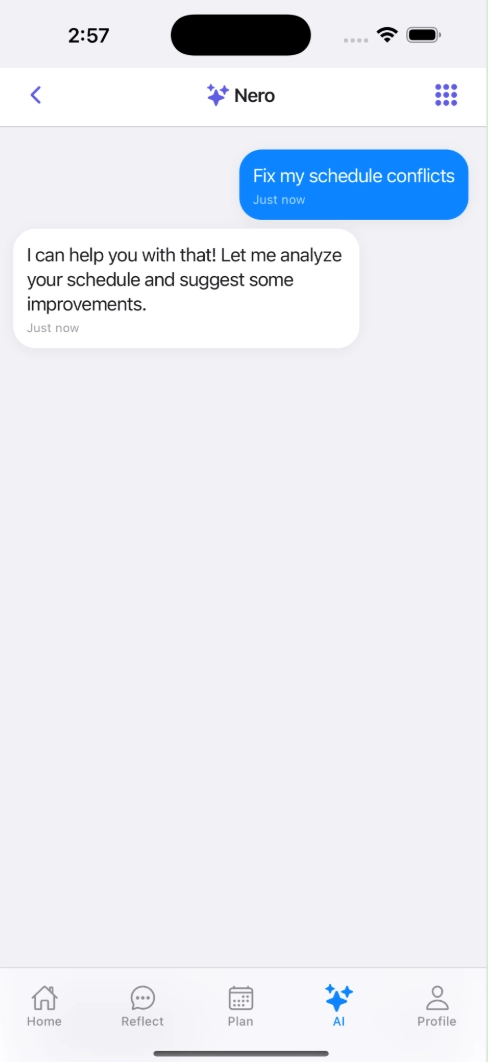
Nero then prompts students to reflect on what felt sustainable, what caused stress, and what they want to change going into the next week.
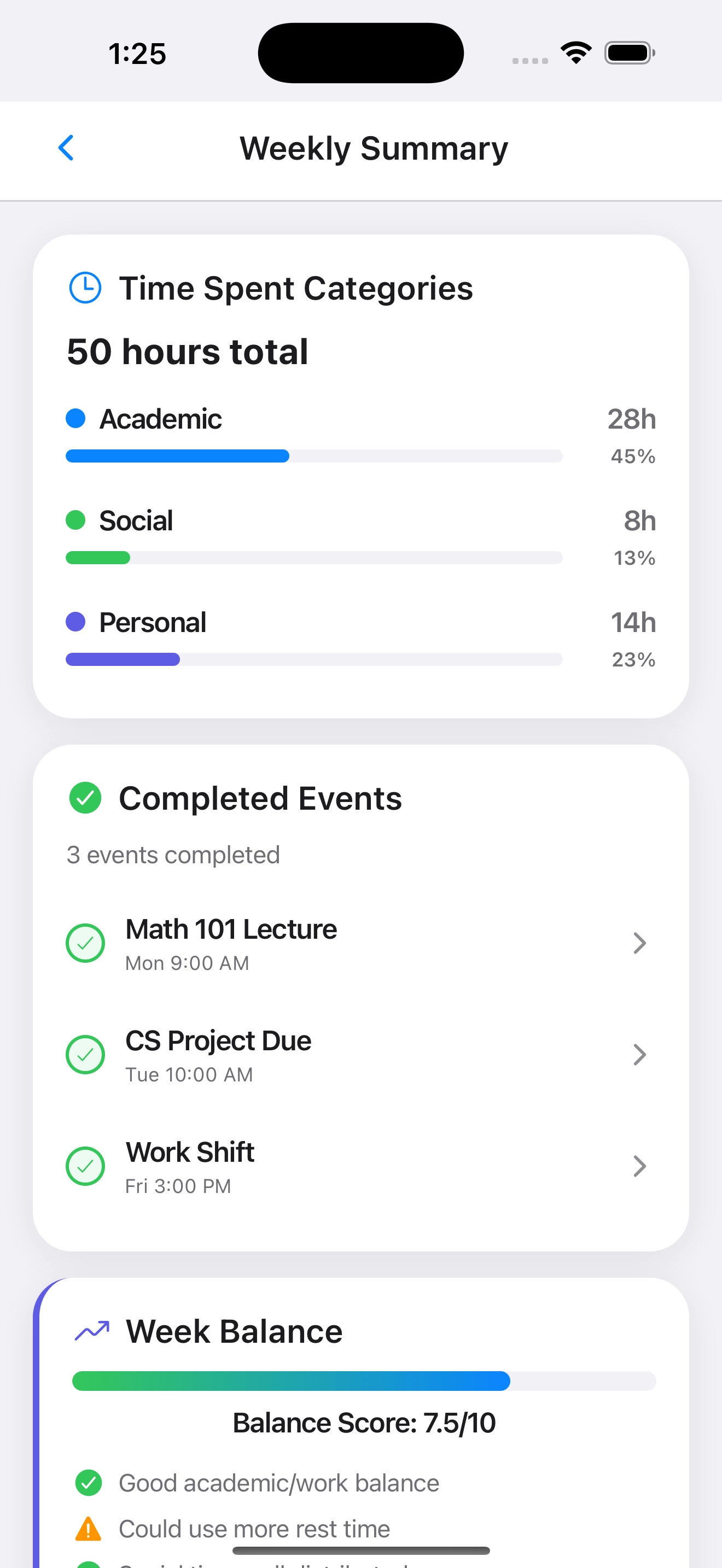
Students start by reviewing a breakdown of how they spent their time across school, work, and personal activities.
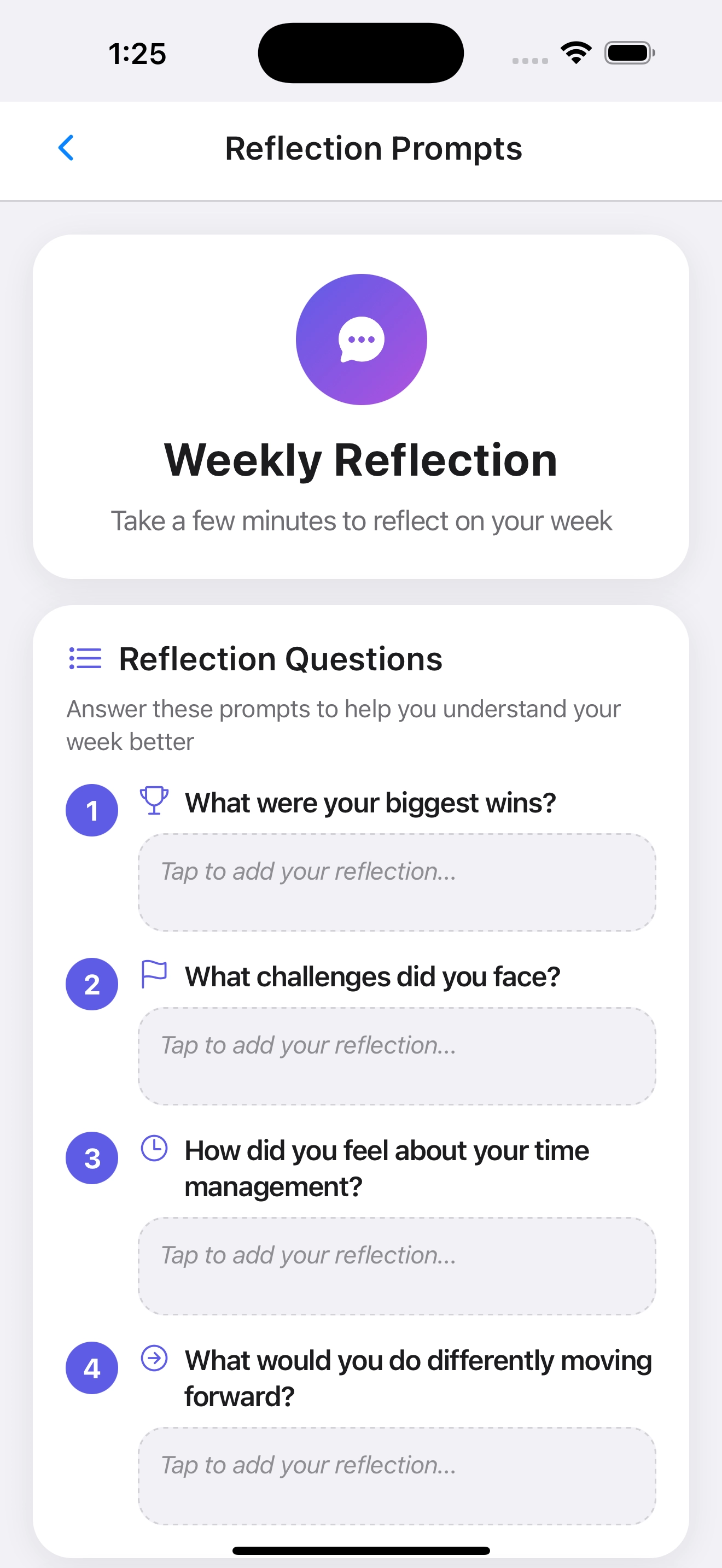
Nero then prompts students to reflect on what felt sustainable, what caused stress, and what they want to change going into the next week.
Generate a Schedule That Fits Priorities
After reflecting with Nero, students move into planning the upcoming week. They first input key details such as deadlines, work shifts, recurring commitments, and how they want to prioritize their time. Nero uses this information to generate a tentative weekly schedule in a vertical, timeline-based layout. Students can scan the proposed schedule, identify conflicts, and use Nero's suggestions or manual edits to adjust the plan. This flow demonstrates how FocusFlow reduces the effort of starting from scratch while still keeping students in control of the final result.
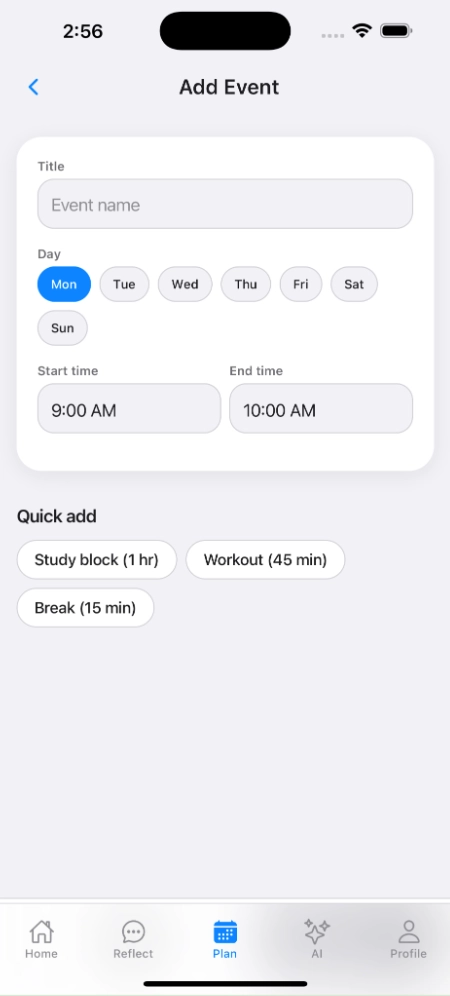
Students share their upcoming deadlines, work shifts, and recurring events so Nero knows what needs to fit into the week.
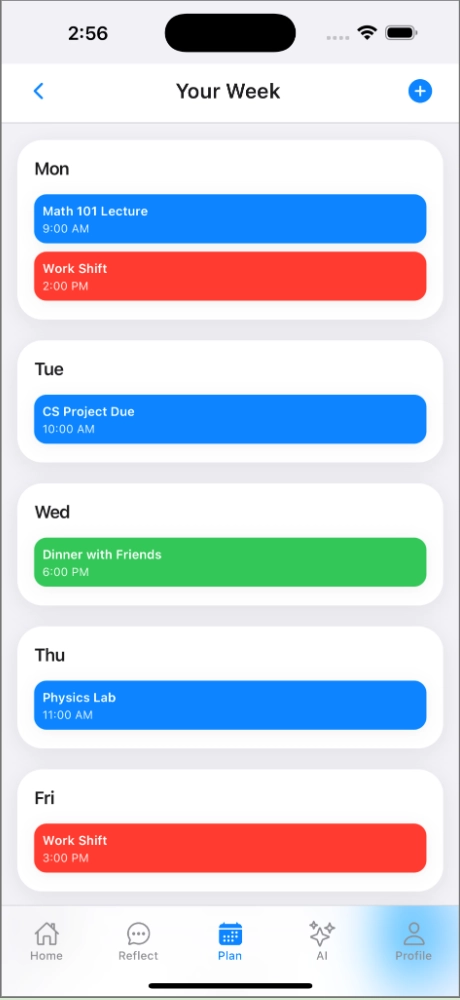
Nero generates a tentative weekly schedule that balances classes, focused work blocks, and breaks.
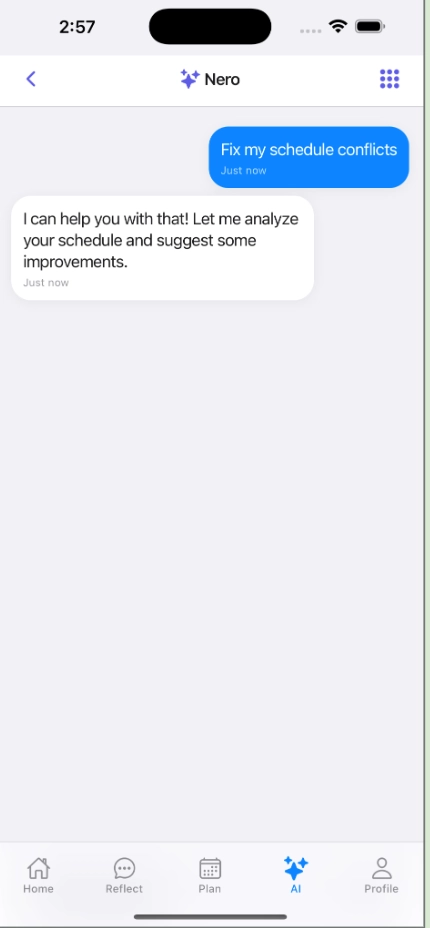
FocusFlow highlights conflicts and suggests adjustments so students can collaboratively refine the plan with Nero.
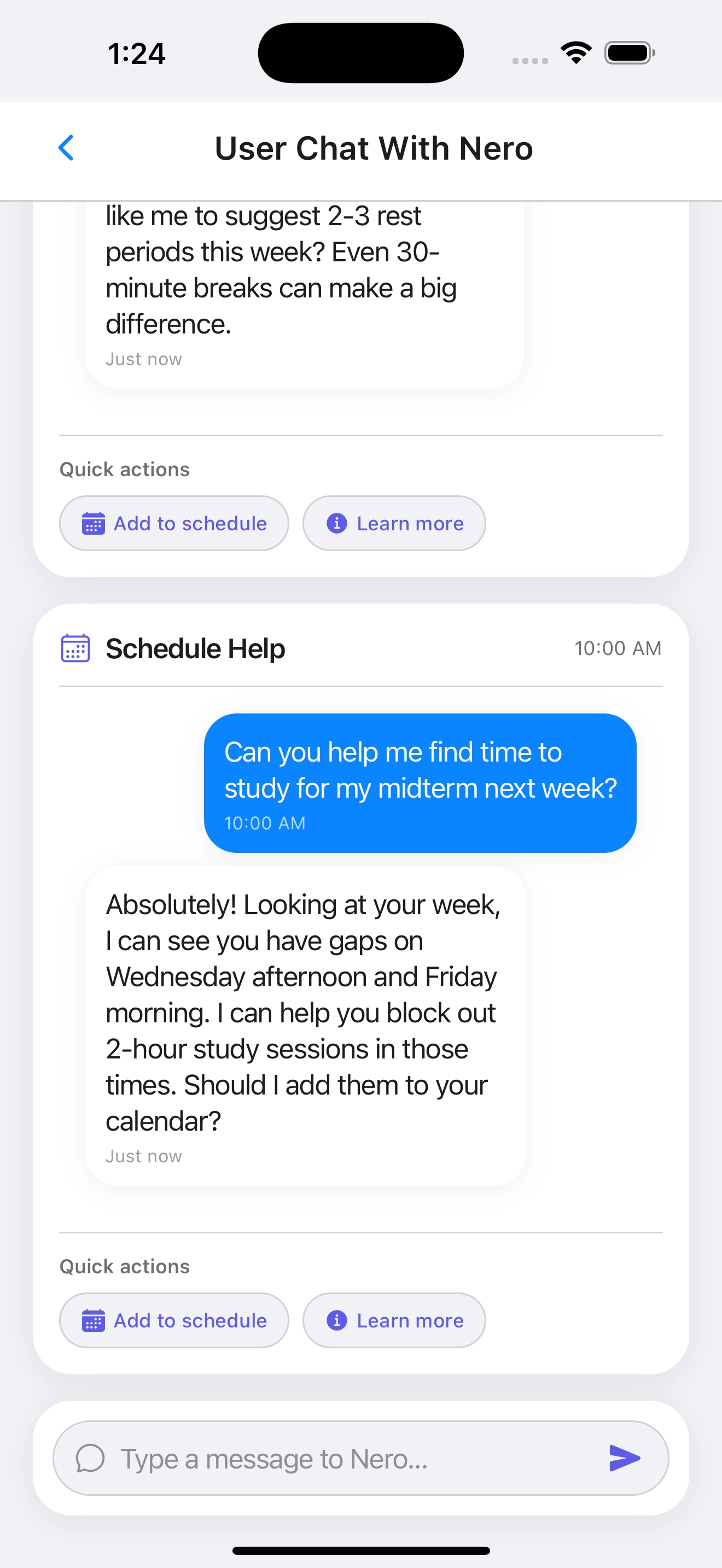
Nero suggests specific study blocks based on gaps in the student's schedule and offers quick actions to add them.
Design Research and Key Insights
To better understand how students plan, focus, and manage changing responsibilities, we interviewed six UW undergraduates and a diary study with five additional participants. Our goal was to explore how students currently track their time, what challenges disrupt their routines, and how their focus fluctuates throughout the day. Interviews allowed us to uncover emotional and contextual details like stress, burnout, and feelings of guilt around productivity while the diary study captured patterns that students often forget when reflecting later. Together, these methods gave us a richer picture of the gaps in existing tools and what students actually need from a planning system.
Students’ schedules change constantly, and rigid tools break down quickly
Across both interviews and diary entries, students described their routines as unpredictable. Work shifts move, deadlines shift, and energy levels fluctuate throughout the week. One participant said they “use three different tools and still end up rewriting the whole day” when things change. This helped us realize that any solution based on fixed schedules or manual upkeep would fail. Instead, we needed a system that adapts with the student. This insight shaped our decision to design a flexible, AI-supported flow that recalibrates plans when priorities shift.
Students misjudge time and energy, leading to stress and late nights
Interview participants often underestimated how long tasks would take: “I think homework will take one hour and it ends up taking three.” Diary data also revealed mismatches between perceived and actual productivity. Several “night owl” participants logged their lowest focus at night. This pushed us to design features where Nero considers energy patterns and reflects back realistic durations instead of letting students overcommit.
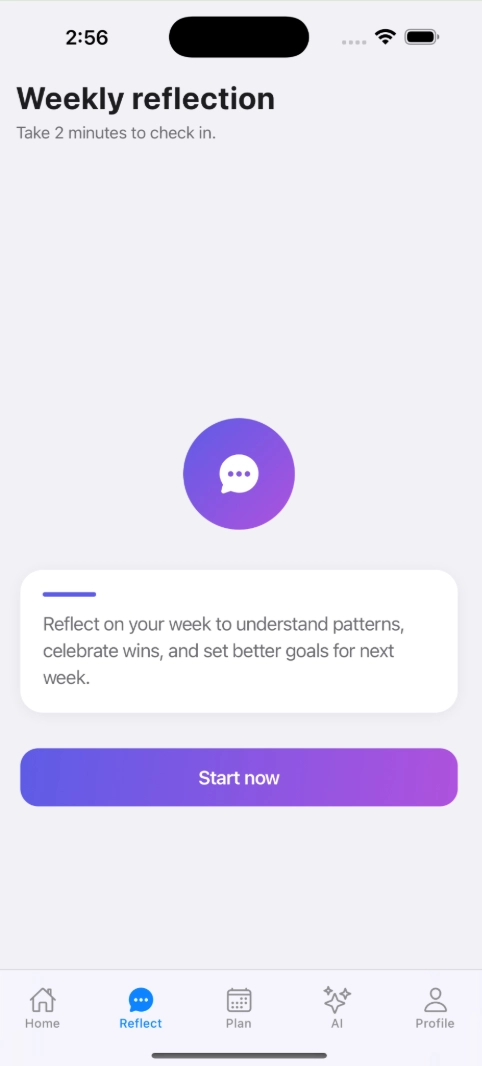
Reflection interactions helped us understand how students naturally summarize their week and what details they notice or ignore.
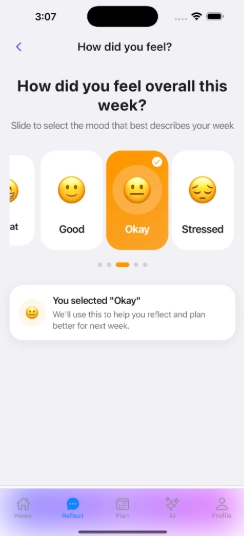
Mood and focus check-ins revealed differences between students’ perceived energy levels and their actual reported productivity.
Students want support and positive reinforcement, not guilt-driven analytics
Students expressed frustration with tools that make them feel behind or “punished” for missing tasks. They preferred systems that celebrate progress and help them adjust gently. One participant noted they “like doing easy tasks first because it makes me feel accomplished,” identifying the importance of momentum. This insight strongly influenced our tone choices for Nero and inspired lighter and reflective check-ins.
Iterative Design and Key Insights
Our iterative design process included paper prototyping, heuristic evaluation, usability testing, and finally creating a digital mockup. Early prototyping helped us explore layout options and define Nero’s role within the app. Heuristic evaluation highlighted structural issues like missing navigation and unclear labeling, while usability testing revealed deeper confusion around how to interact with the AI and how the weekly planning flow worked. These cycles helped us refine the interface, clarify the AI’s purpose, and strengthen the overall user journey.
Missing navigation made core flows confusing
Heuristic evaluation revealed violations of “User Control and Freedom” because users had no clear way to move between screens. No menu bar, back buttons, or indicators of where they were in the app. Usability testing confirmed this when multiple participants became stuck, asking, “How do I get back?” or “Where does this icon go?” Iteration: We added a consistent navigation bar, clearer icons, and more visible page titles across the mockup.
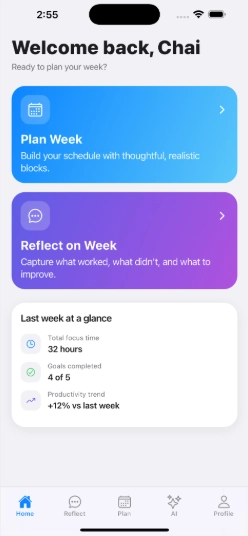
Our paper prototype highlighted early gaps in navigation. Participants had trouble understanding how to move between reflection, Nero, and planning screens.
The AI’s purpose was unclear without guidance
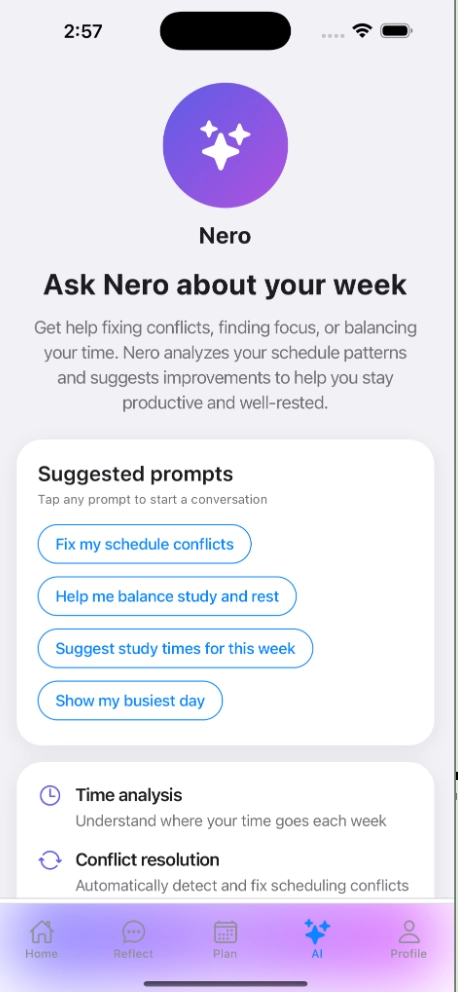
Early prototypes placed Nero on several screens, but participants didn’t know what to ask or what the AI used to make suggestions. Some asked, “What does this even do?” during testing. The design also violated the “Recognition, Not Recall” heuristic due to minimal labeling. Iteration: We added onboarding text, explanation sections, and suggested prompts to teach students how Nero fits into both reflection and planning.
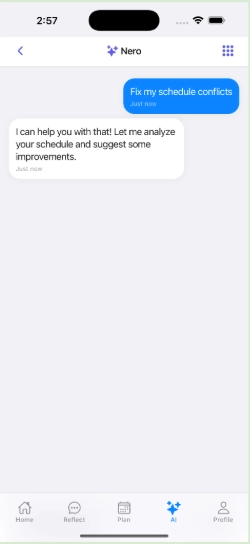
In early designs, Nero lacked context, leaving students unsure how to interact with the assistant.
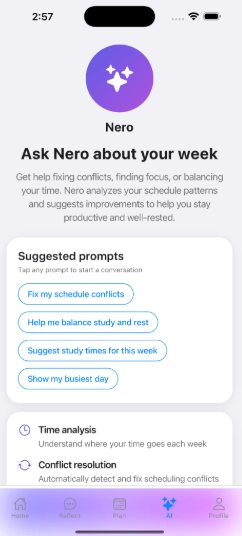
Adding onboarding text and suggested prompts helped students immediately understand how Nero supports planning.
Clarifying Nero’s role and offering suggested prompts helped students feel more comfortable engaging with the AI.
Reflection and planning screens looked too similar and caused confusion
Usability participants mixed up reflection pages and weekly check-ins because titles and layouts were nearly identical. One participant asked, “Is this last week or next week?” which caused task breakdowns. Iteration: We separated visual styles, added descriptive headings, and clarified system state so students always know whether they’re reviewing the past or planning ahead.
Students confused reflection screens with planning screens because the layouts were too similar in early iterations.
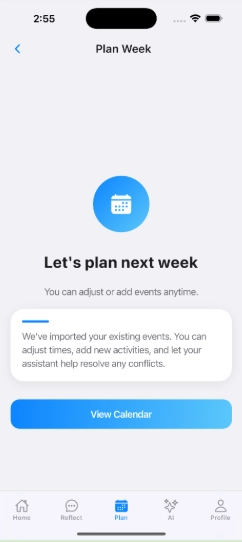
We redesigned the planning layout with clearer cues so students can immediately tell they are planning ahead, not reflecting on the past.