Skip to main content
Link
Menu
Expand
(external link)
Document
Search
Copy
Copied
# LoFi Prototyping Develop a storyboard for milestone 1 cse482a: Fall 2026; Jennifer Mankoff (Last Edited: 2026-10-12). <a href="/courses/cse482a/26au/slides/lofi.html">Live View: /slides/lofi.html</a> Important Reminder: check zoom & captioning <a href="/courses/cse482a/26au/slides/lofi.html"><img src="https://api.qrserver.com/v1/create-qr-code/?data=/slides/lofi.html&size=100x100" alt="QR for /courses/cse482a/26au/slides/lofi.html" title="" /></a> --- <div class="slide-outline" style="margin: 1em 0; padding: 1em; background: #f5f5f5; border-radius: 5px;"> <h2 style="margin-top: 0;"> Outline </h2> <ul style="list-style-type: none; padding-left: 0;"> <li><a href="#3">Storyboarding</a> (Slide 3)</li> <li><a href="#16">Feasibility Analysis</a> (Slide 16)</li> <li><a href="#26">Lofi Prototyping</a> (Slide 26)</li> </ul> </div> --- class: center, middle, inverse # Announcements --- ## Due Monday 10/12 <ul> <li><a href="/courses/cse482a/26au/projects/milestone-0-checkin/">Milestone 0: Project Overview, First-Person Research & Draft Consent Form</a> (group)</li> <li><a href="/courses/cse482a/26au/assignments/first-person-m1-individual/">Project First Person Individual</a> (individual)</li> </ul> <p>We added a short <strong>completeness checklist</strong> at the bottom of each milestone. You can use it to check your work before you submit.</p> <p>Also, if you are having trouble accessing your public website, they are all linked off of <a href="https://courses.cs.washington.edu/courses/cse482a/26au/team-projects.html">Assignments/Team Projects</a> now.</p> --- ## In class this week <ul> <li><strong>Monday:</strong> (Finally) discussing the syllabus; Disability and disability justice, then group check-ins on your consent form and interviewing plan. Bring your draft consent form. Pair up and interview at least one stakeholder each.</li> <li><strong>Wednesday:</strong> Storyboarding and lofi prototyping. Group work on Milestone 1.</li> </ul> --- ## Coming up <ul> <li><strong>Monday 10/19:</strong> <a href="/courses/cse482a/26au/projects/milestone-1-problem-and-concept/">Milestone 1: Problem & Design Concept</a> and Milestone 1 Consent Forms are due. Start recruiting interviewees now.</li> <li><strong>Monday-Wednesday 10/19-10/21:</strong> Second teamwork reflection.</li> <li><strong>Wednesday 10/21:</strong> Milestone 1 presentations: Present your design concept in class to mentors</li> </ul> --- ## Reminder: Reading <p>There are weekly readings in this class (check the <a href="schedule.html">course schedule</a>). This week’s readings are:</p> <ul> <li><a href="https://sinsinvalid.org/10-principles-of-disability-justice/">Ten Principles of Disability Justice</a></li> <li><a href="https://xrds.acm.org/article.cfm?aid=3665602">Challenging ableism: A critical turn toward disability justice in HCI</a></li> </ul> <p>Reading questions are in posted in the Readings folder in <a href="https://edstem.org/us/courses/107577/discussion/8376000">Ed</a></p> --- ## Ed Posts to keep track of <p><a href="https://edstem.org/us/courses/107577/discussion/8374183">Update on assignments</a></p> --- class: center, middle, inverse # Storyboarding --- ## How to think about what you have learned so far [A user] needs [adjective] [need] in order to accomplish [goal] Example: Prospective students need *up-to-date* and *trustworthy* information about accessibility and student culture to decide on a college. --- ## Your first design task is scope To fill in this sentence you need to decide on tasks to focus on. - Each task should be specific - Taken together your tasks should cover an interesting area of your overall design space - You should aim for at least 3 --- ## In class exercise: Pick a task for your project [A user] needs [adjective] [need] in order to accomplish [goal] --- ## How to incorporate disability justice in design - Who is this supporting? - Is it supporting all of their identity? - Is it oversimplifying (i.e. assumes every user has the same disability or identity) - Pick any other principal and ask similar questions --- ## Example: shallow approach to identity - Including identity in your client sample - Deploying to clients with varied identities Example: Multilingual DHH people use captions just like anyone else --- ## Medium-depth approach - Solution is accessible - Solution focuses on more than one identity Example: Multilingual DHH people need captions in at least two languages to follow a conversation --- ## Integrated, intersectional approach - Solution explores how different identities influence each other Example: Multilingual DHH people need to control features of captions so that captions match their expertise and preferencs when watching multilingual content --- ## In class exercise As a team, pick a disability justice principal relevant to your project How might it influence your design approach? --- ## Storyboarding  --- ## About five frames per task  .footnote[from Sketching User Experiences: The Workbook. Chapter 4.4: Narrative Storyboards. by Greenberg, Carpendale, Marquardt, and Buxton] --- ## Storyboard - Show the whole interaction - Show the beginning and end - Create one storyboard per task - Document the specific AEIOU details for each storyboard - Document any disability justice principals you considered (define, explain) --- ## Questions to ask about your designs Storyboarding, via AEIOU and disability justice, should help you decide on form and functionality. But there are other things that matter. You should iterate on this - What are related products that already exist? - What else could be great solutions? - Is it feasible? --- class: center, middle, inverse # Feasibility Analysis --- ## Viability has many facets Is the idea viable *within the constraints of the class* - Technically - Financially - Socially appropriate - Operationally - Timeline --- ## Technical Feasibility Can be built within about 4 weeks Built --> publically deployed - What technologies will be used - What is your backup if those don't work - How well do your group members know them? --- ## Financial Feasibility "What will it cost?" We have close to $0. Let us know if you need something though and we'll discuss --- ## Social Appropriateness "Will it be allowed and accepted?" - Beyond disability, is it something people will accept - Ethical concerns? - Capacity concerns? --- ## Operational Feasibility "Will it be possible to maintain and support long-term?" (not a requirement) - What skills would be needed? - What tools would be needed? - What documentation would be needed? --- ## Timeline feasibility "How does the team's availability match the needs?" - How many hours per week can each person put in? - What are the major milestones and decision points? - What are the preliminary deliverables and deliverable dates? --- ## Time Feasibility - 10/19 Milestone 1 due (problem and design concept) - 10/22 Start prototyping - 11/4 Milestone 2 due: prototype and architecture; Demo Day in class - 11/5 Start your study and accessibility findings - ~~11/16 - 11/20 Individual accessibility audit (due 11/20)~~ - 11/18 Milestone 3 due: study, implementation, **and your audit**; study consent forms also due - ~~11/16~~ 11/23 Audit walkthroughs with TAs - 12/2 Milestone 4 due - 12/7 Final poster due - 12/9 Poster session --- ## Difficulties of feasibility studies - Scope may be uncertain - Approach may be ill defined (e.g. resource estimates too rough) - Organizational changes may be needed - Enthusiasm may cause you to downplay risks --- ## In class exercise For each aspect of feasibility: What will you need? What challenges do you forsee? - Technically - Financially - Socially appropriate - Operationally - Timeline --- class: center, middle, inverse # Lofi Prototyping --- ## Lofi iteration can be helpful Not required, but your team may value dividing up the work - Some can start identifying coding approaches - Others can define interface and workflow --- ## Example accessible lo-fi prototype  We will work on this next Monday --- ## Low-fi prototyping definition Turn design ideas into _testable_ and _tangible_ artifacts for collecting and analyzing the user _demands_ at the early stage. --- ## Physical Materials - Cardboard - Paper - Legos - Play dough - Wiki sticks - Foam - Clay - ... --- ## Digital Prototyping - Figma - HTML ("rapid web prototype") - Screen shots - Videos - Word document Be wary of "overdesigning" --> more difficult to critique --- ## Creating an experience Wizard-of-Oz Prototyping - Modular interface - Update it as the user interacts --- ## Basic Interface  --- ## Ar interface (1/2) 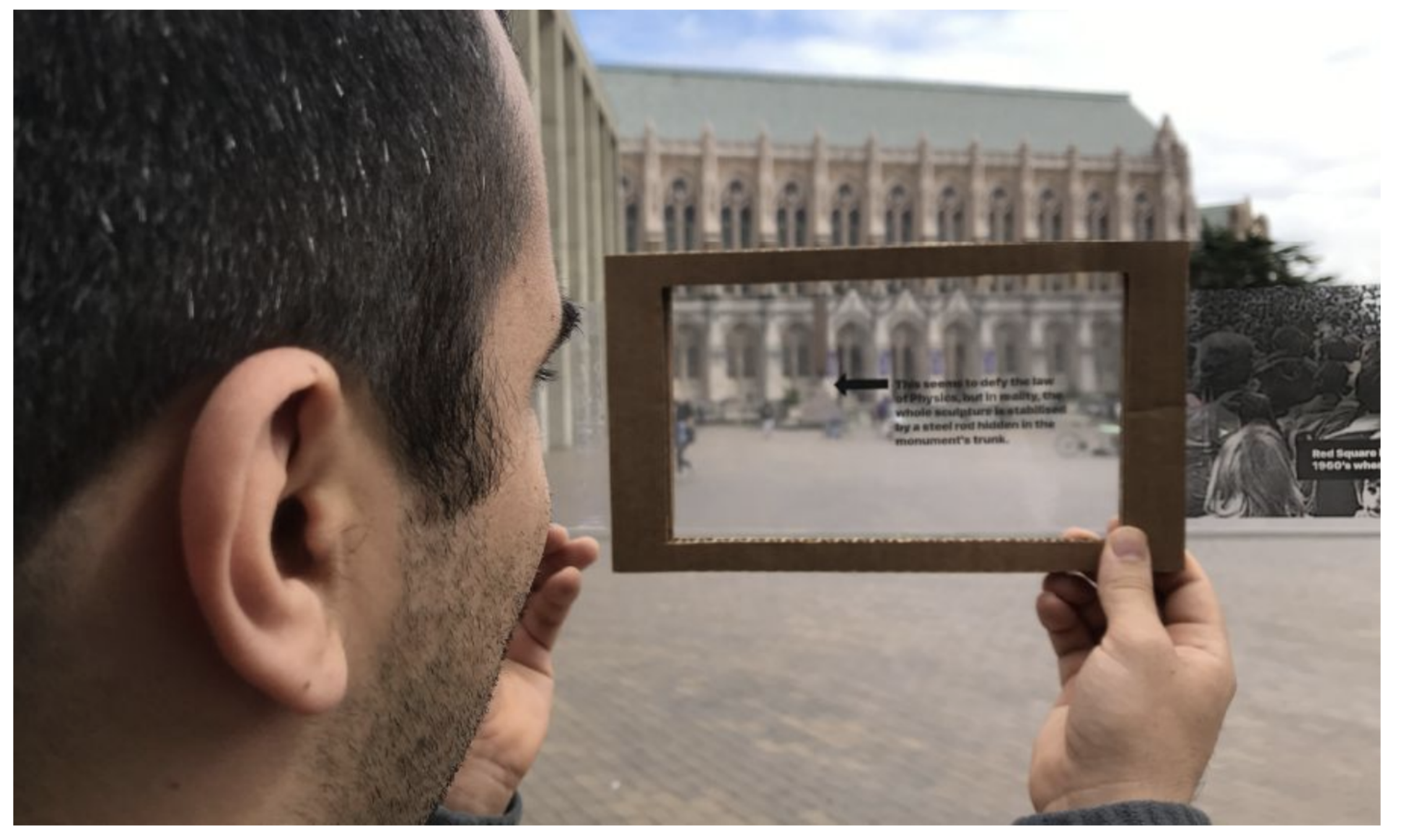 --- ## Ar interface (2/2) 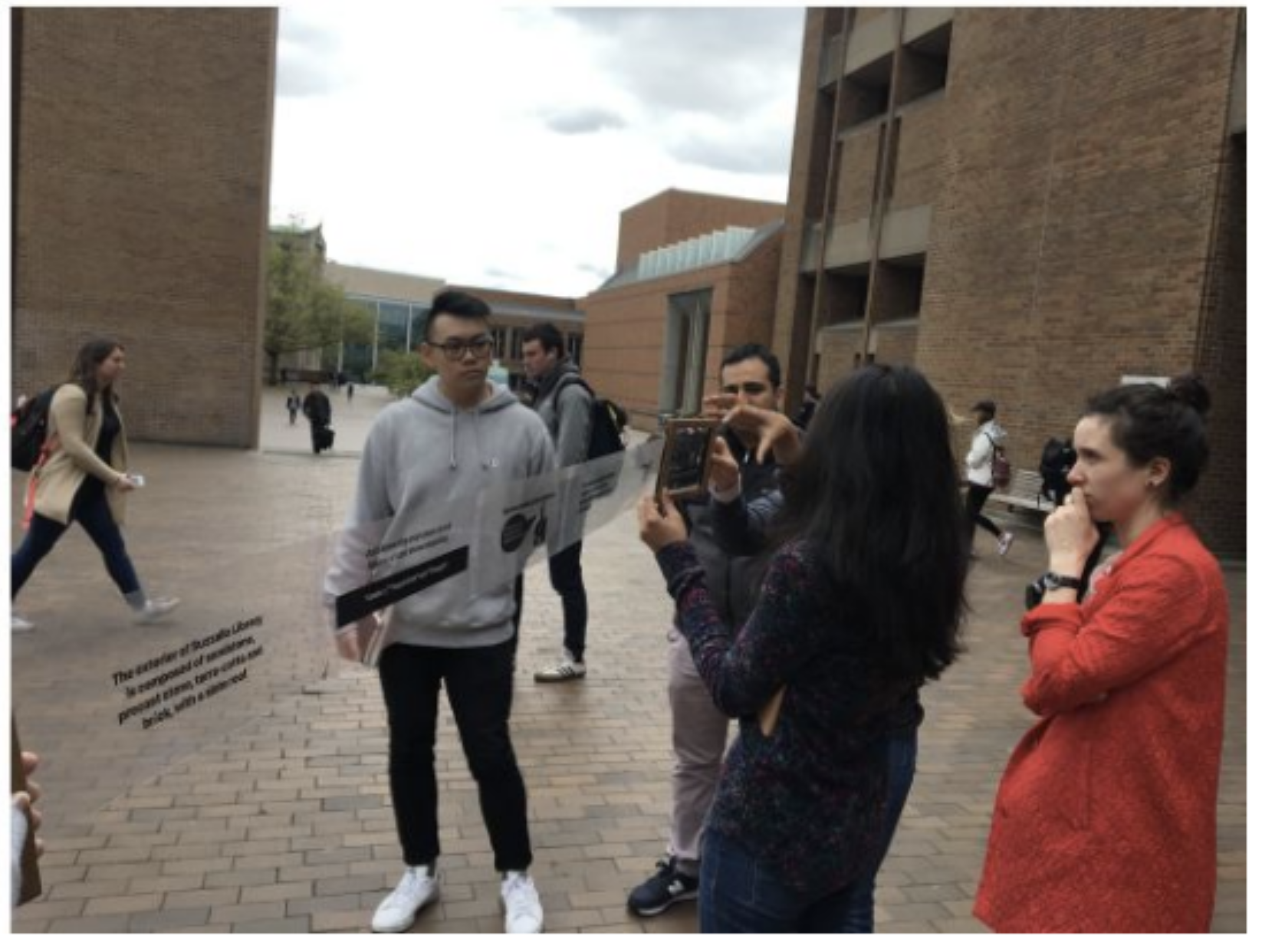 --- ## Kiosk experience 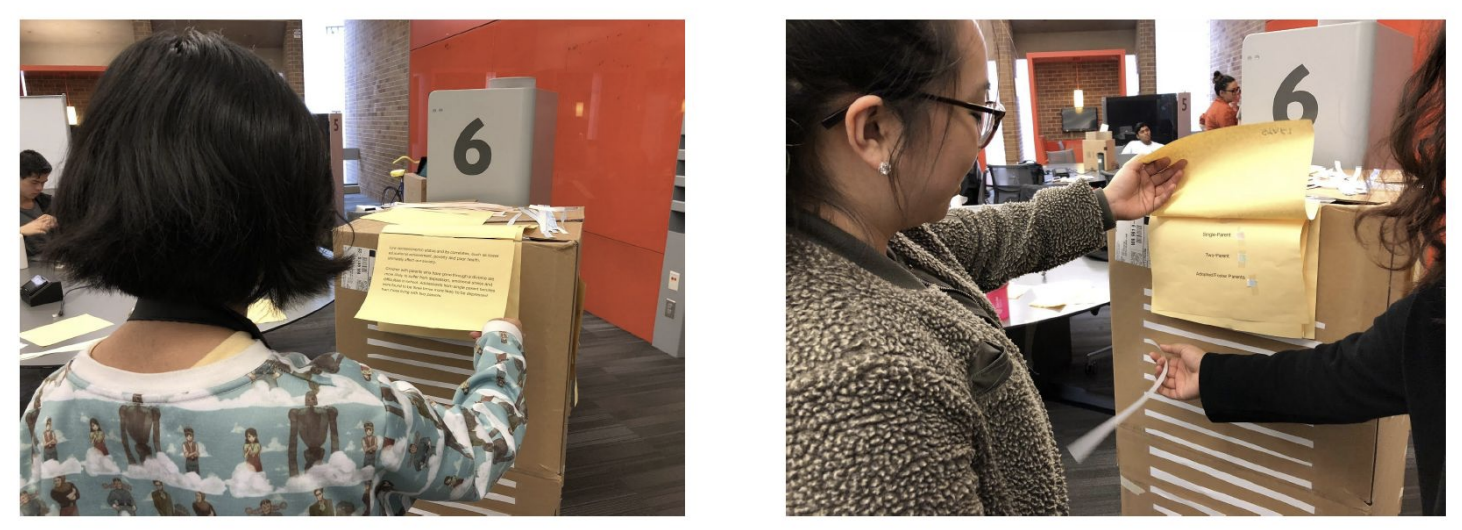 --- ## Bike exercise interface 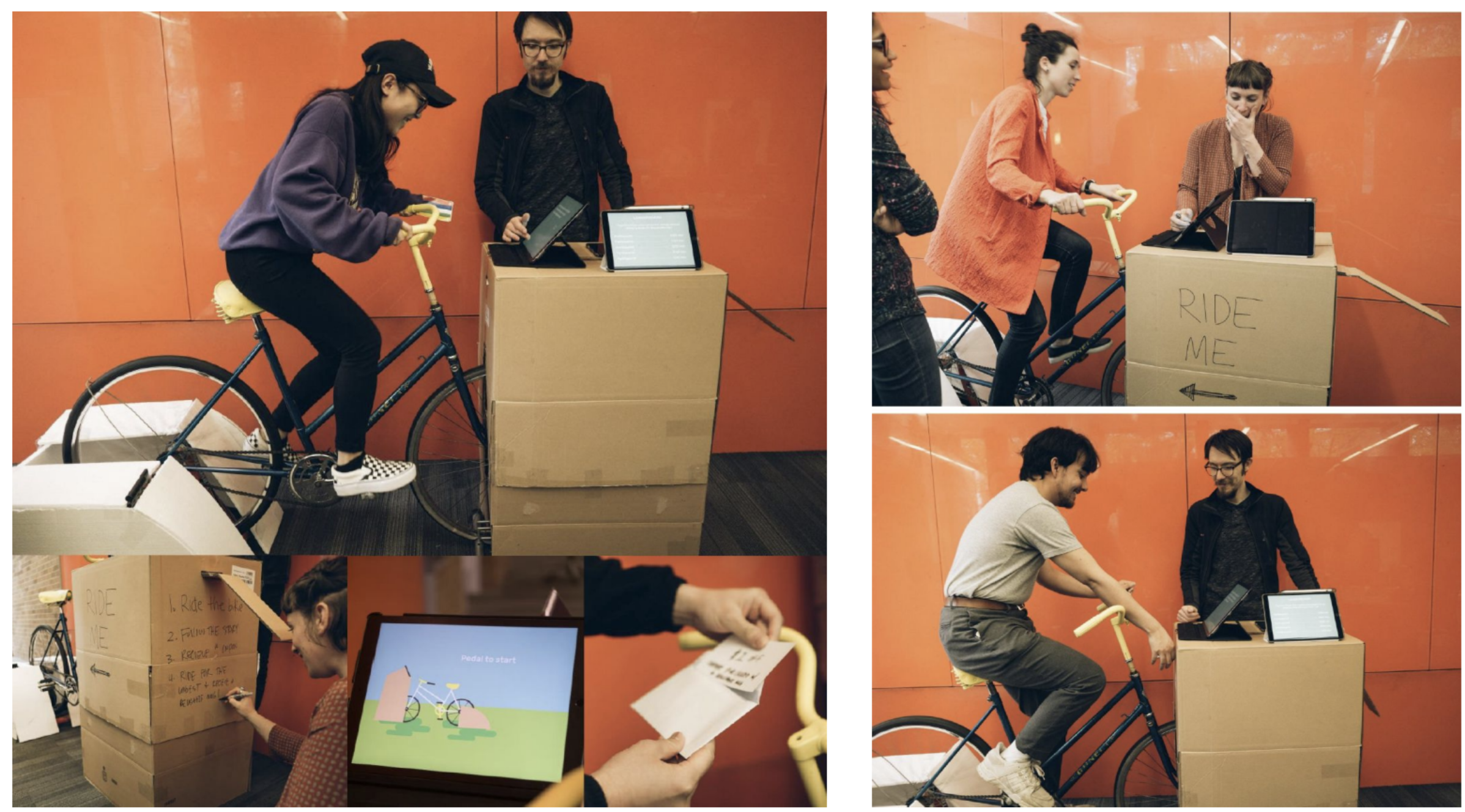 --- ## How to Wizard-of-oz Virtually - share on zoom, swapping out screen shots - use something like Figma (if you can do it accessibly, e.g. annotate designs with the [GitHub Annotation Toolkit](https://www.figma.com/community/file/1552736256652388772/github-annotation-toolkit)) - Use a survey (with images and ALT text, or survey pages that have all the key content) - Test with a similar system if you need to
