Overview
Abstract
Many people want to learn tabletop games, but learning a new game can create major access barriers. This can happen in different settings, such as reading a rulebook alone at home, watching a video tutorial, or learning from another person in a classroom, club, or game café. In social situations, these barriers can feel even harder because there may be background noise, time pressure, and social pressure to keep up. Players may struggle to parse dense rulebooks, track lots of simultaneous information, interpret icon-heavy components, or learn best through a different modality than the materials (or the person explaining the game) support.
Our project focuses on improving accessibility in the process of learning for the game Pandemic. We are specifically focused on improving the experience for people with low vision disabilities. We do this by supporting both the player learning and the facilitator guiding the experience when relevant. We are drawing directly from the first-person account “Learning Disabled and Teaching Tabletop Games” (Geeky Gimp, guest post by James Cole), where the author describes a visual processing learning disability and explains how they rely more on hearing than seeing, ask many questions to clarify concepts, and benefit from flexible, inclusive, multi-modal explanations.
Building from this account and additional community and research guidance, we propose to create a website that helps people navigate curated, cited recommendations for making learning more accessible. The first page of the website prompts three learning styles that can be chosen. The three styles include photos, videos, and step-by-step instructions. The user chooses one of the three and that takes them to a webpage with that specific style. One of the issues we noticed when playing pandemic was how difficult it was to read player cards and instructions. These three learning styles help the user focus more on learning the game rather than having to navigate difficult to read instructions.
What Our Project Does
Our project is a website that helps people learn how to play Pandemic in a more accessible way. It gives users a beginner-friendly overview of the game, explains important game pieces and concepts, and provides guided help for specific topics such as setup, turn order, events, rules, and FAQs. Users can also choose support options like audio, visuals, and beginner explanations so the learning experience better matches their needs. The goal of the project is to make learning the game clearer, more flexible, and less overwhelming than using a traditional rulebook alone.
Images of the Webpage
 Homepage of Tabletop. This page gives users an introduction to Pandemic and it’s pieces before they move into more specific guides.

Dashboard of Tabletop. This page lets users choose learning preferences and open guides for specific parts of Pandemic, such as setup, turn order, events, and FAQs.
Project Details
Motivation
In “Learning Disabled and Teaching Tabletop Games,” James Cole welcomes us into a thorough discussion of his experiences teaching and learning tabletop games. By sharing that he has visual processing learning disability, has needed to hear question answers to understand things, and stressing his reputation as a good teacher is “is not an obvious connection,” Cole shows us he has experienced access difficulty in relation to learning tabletop games. Put a different way, Cole hints at having been made to feel excluded in tabletop spaces due to his learning style.
We highly value Cole’s article as a first person account in board game teaching techniques because of his emphasis on “inclusivity,” “holistic” teaching, and “accessibility.” Beyond the surface, there is an authenticity to Cole’s voice and suggestions. For instance, Cole points out that teaching techniques are limited by the capacity of a game to accommodate and include its players. Cole uses theme as a powerful juxtaposition of opportunity and barrier: theme is central to many games yet many games have alienating themes. Cole also stresses the importance of “flexibility” in play because players can face unanticipated barriers despite the promise of the Cole’s teaching techniques. Cole also frames learning differences as a barrier to board game teaching techniques.
The broad strokes of Cole’s teaching style is to answer three fundamental questions about the game before covering rules in a bottom-up approach. The three fundamental questions are questions of “what,” “how,” and “why.” The approach is bottom-up in that Cole implores us to adopt to teach from the “simple” to the “complex.” Compared with other approaches to teaching technique, Cole places a much stronger emphasis on making sure that player’s access needs are being met.
While Cole emphasizes the importance of accessibility in selecting and teaching games, we notice that specific advice for how to teach players with other kinds of disabilities is limited. Based on academic paper “Understanding Tabletop Games Accessibility: Exploring Board and Card Gaming Experiences of People who are Blind and Low Vision” by Adrian Bolesnikov et al., BVI players have needs that players outside the BVI community do not realize. We also infer from Bolesnikov et al., a lack of knowledge of BVI solutions to meet the needs. We think that, even if a game mechanism seems to be inaccessible to a disabled audience of potential players, we should be careful not to let our own notions of what is accessible limit our interaction with that audience. There seems to be inherent tension in Cole’s communicated approach between preparation in advance and involving disabled people in the selection of a game.
Further, we wonder what kinds of advice could be given to board game teachers to support the needs of disabled players beyond addressing the need for support itself and illustrating access barriers. We think that there is a need for a richer exposition to, and involvement from teachers in this space. We imagine that good advice for such teachers is to discuss the access needs of players directly with the players. As we synthesize our website, we aim to look for specific kinds of accommodations game teachers can provide and how they can achieve them. This is why we are using three learning styles for our website that will allow teachers to provide these accommodations for users with low vision disabilities.
Disability Model Analysis
Cross Disability Solidarity:
Cross Disability Solidarity focuses on unity across a range of disabilities. The principle also focuses on recognizing shared experiences and understanding differences. Accessibility isn’t a one-size-fits-all situation, so it is important to break down the isolation that exists.
People are able to benefit from the website since we have added a way for them to personalize their preferences for learning. Instead of users having to look for ways to adjust the website to their needs, it gives them options to adjust it to how they learn. We are adding preferences between images, videos, and step-by-step instructions, which gives users different options to learn the tabletop game. This allows users with different disabilities to learn the game how they see fit. We are not making it to fit someone’s specific needs, but rather giving the users freedom in how they want to learn. By adding these options, users are able to interact with the content and have fewer barriers to accessing information in a certain format. Since we are creating multiple ways for users to learn, the website is encouraging the inclusion of all users with different access needs. We are getting rid of the isolation that exists in other websites by the way they are structured. Also, these preferences are helpful for everyone using the website to participate without feeling like they are being accommodated for.
Collective Access
The Collective Access principle states that a community of diverse people brings flexibility and creative nuance. The responsibility of making the world more accessible shouldn’t be placed on a singular individual, but the collective at large. With that being said, our team is made up of uniquely diverse individuals who bring their own strengths and wisdom. We must play a part in making our space more accessible.
We believe that our website makes the internet more accessible by creating a space where users who have a disability can learn to play a game as easily as possible, with as few roadblocks as possible. This satisfies the principle by removing the burden of responsibility from a singular individual to everyone. In this case its my team creating a accesbile way for users to learn how to play a table-top game. Were no longer forcing an individual with a disability to try to find a solution. We are a part of a community that includes all kinds of people. It’s also our responsibility to make sure members of the community are supported in having accessible solutions to problems.
Additional Questions:
Is the technology ablist?
The technology is not ableist because it doesn’t assume how the users are going to interact with the content. It gives them pathways for preferences of how they learn best, and then adjusts the content to those preferences. Technology that is ableist often prioritizes navigation styles that are faster and less accessible. With the technology we are implementing, users can choose how they learn best rather than having to adapt to it. The design is catered towards the individual’s access needs without assuming the user is disabled or has a certain disability.
Is the technology informed by disabled perspectives?
The technology is informed by disabled perspectives because it doesn’t isolate a certain disability or person. Everyone’s experience with disability is different, and the website does its best to adjust to that. While not all disabilities are accommodated for, the website lets users personalize their best learning path. It gives them flexibility and offers different options rather than focusing on a singular structure.
Does the technology oversimplify disability or identity?
To some extent, the technology does oversimplify disability/identity. Our technology is trying to aid with a broad range of a specific disability. That, of course, comes with downsides and sacrifices. In addition are technology is going to be built in a short amount of time. To my knowledge, no product developed in a limited time frame can be free of oversimplification. Lastly, no technology is possible to create a solution for every user. Disabilities are expressed on a spectrum. To some users the the solution can truly help a person solve a problem. However, to another user, the tool can be a broad and oversimplification of said disability or identity. Ultimately, the goal of our final product is to create a tool with as few biases and oversimplifications as possible.
Background Research
Ahmed’s Abstract Research:
The article I read is titled “8 Types of Learning Styles”. The article talks about the different ways people learn new things. It basically tells you the best way to learn new topics. For example, some people like learning new things by picking up a book and reading on their own. Other people might prefer having a teacher explain a topic step by step. This article is important for a couple of reasons. The first reason is that our goal for the assignment is to teach people how to play the game Catan. However, before we teach people, we need to know the best way they learn new things. We can’t expect everyone to learn new things the same way. That would not be inclusive. We need to learn about all the different ways people learn new things. The second reason is that it gives examples of how we can teach different learning styles the best. The article gives many ways different groups would like the concept to be taught. Think about the example I gave earlier. If I know some people like learning by reading books, I should probably add a section where they can just read. It also tells us stuff we shouldn’t do when teaching different learning groups. If I know someone likes learning by watching videos, I should probably make the video not word-heavy. This article was very helpful. I learned all the different ways people learn. I also learned about the different places people like to learn.
Emmanuel’s Abstract Research:
Teaching can be challenging. Teaching students with disabilities can make it tougher. However, students with disabilities are students like everyone else. All students can benefit from effective teaching strategies. Teaching styles that work for students with disabilities will likely work for students without any. A style that worked one day might not work the next day. Being able to adjust when situations change is important. Some students can struggle with directions and concepts that have lots of steps. Breaking things down into small parts helps students understand information. Students learn and understand information differently. It is helpful to plan these differences. Students with disabilities are more likely to misunderstand tasks. Teachers need to check in on how students are doing more often. Feedback for the students helps them. Students with disabilities often struggle with knowing when they need help. It is important to get rid of distractions for them. Visual timers are a good way to help students stay on tasks. Building relationships with the students makes them feel more included.
Liz’s Abstract Research:
The paper describes how people who are blind or have low vision experience board and card games. The researchers interviewed 15 players who are blind or have low vision. They asked about what makes games hard to play and what makes games work better. One main finding is that many games share key information through sight. For example, games use color, printed text, pictures, and the layout of pieces on the table. When the game relies on sight, some players cannot easily tell what is happening. It can also be harder to make choices without help. The paper explains that help from a sighted person can make play possible. However, needing help often reduces independence and enjoyment. In group play, it can also change the social experience. Some players feel singled out or feel like extra work for others. This paper matters for our project because it supports why learning help is important. Learning a game takes work. Players must understand the rules, keep up with changes during play, and work with other players. These steps are harder when information is shared in only one way. They are also harder when the game asks players to track too much at once. Our project will not redesign the physical pieces so someone can play without using sight. Instead, we will focus on learning supports for one game. We will create step-by-step rule explanations. We will also create simple reference sheets for key ideas. These materials will reduce how much a player has to track while learning. What I learned is that access is not only about being able to play. It also affects whether someone feels independent, included, and wants to keep playing
Isaac’s Abstract Research:
In the board games community, players discuss teaching. Over time, players learn how to teach games well. For instance:
- this Settler of the Boards article,
- BoardGameGeek discussion How to “the teach” a game,
- the Board Gamers Anonymous article Teaching Board Games in 13 Easy Steps,
- this guide from Daily Worker Placement,
- this Wirecutter article,
- and this r/boardgames article.
To summarize common elements, good teachers prepare well. Also, good teachers present concepts from abstract to concrete.
Often across these writings, accessibility concerns are vague. Authors stress the importance of accessibility. Here, these authors tell us to think carefully about our fellow players. This includes thinking about what disabilities fellow players may have. However, authors omit advice about how to think carefully. To me, this kind of specific advice seems needed.
However, giving this kind of advice is challenging. People have complex access needs. Also, players often forget access needs. For instance, players forget the needs of blind and vision impaired (BVI) players. Bolesnikov and the other researchers find this through interviews. Specifically, sighted players sometimes play cards without announcing the impact of those cards to BVI players (Bolesnikov et al.) .
Despite the challenges, people have shared good thoughts about accessibility in teaching games. Notably, teachers learn how to teach games inclusively in article “Learning Disabled and Teaching Tabletop Games”. James Cole wrote the article as a guest on blog The Geeky Gimp. Still, I wonder what advice would be helpful in different disability situations.
Project Storyboard
Tasks Task 1: Set learning preferences and get a personalized learning path The steps a user might use to accomplish this task are: The user answers some type of “What helps you learn?” setup (Lots of images, step by step instructions, watching others play first etc.). Submit preferences to generate a learning path.
Storyboard 1
Panel 1:
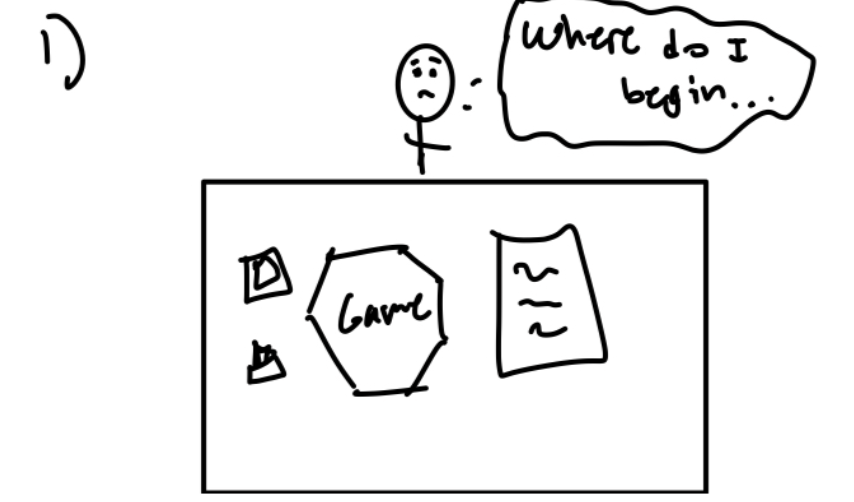
John lays out the new board game he just bought, but is overwhelmed by the contents and doesn’t know how to go about learning the game.
Panel 2:
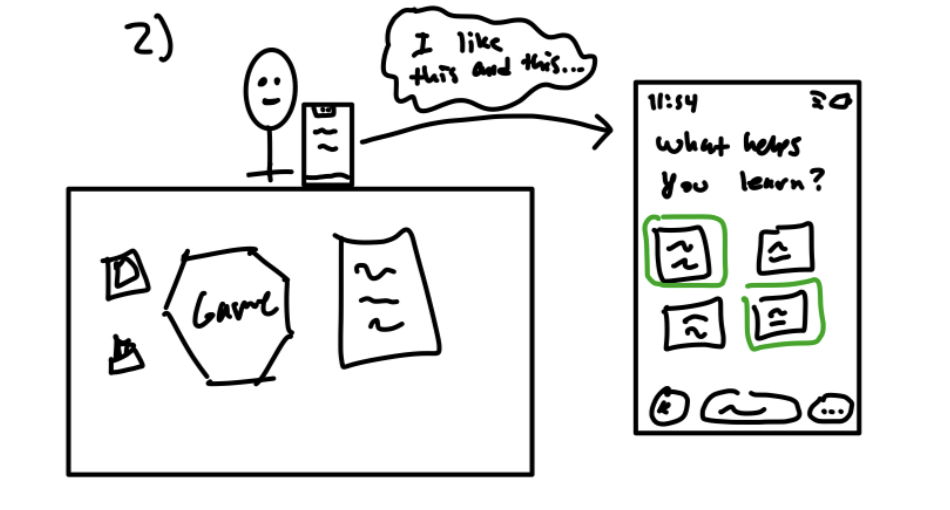 John uses our website to select learning options that he likes to help him learn the game in a personalized fashion.
Panel 3:
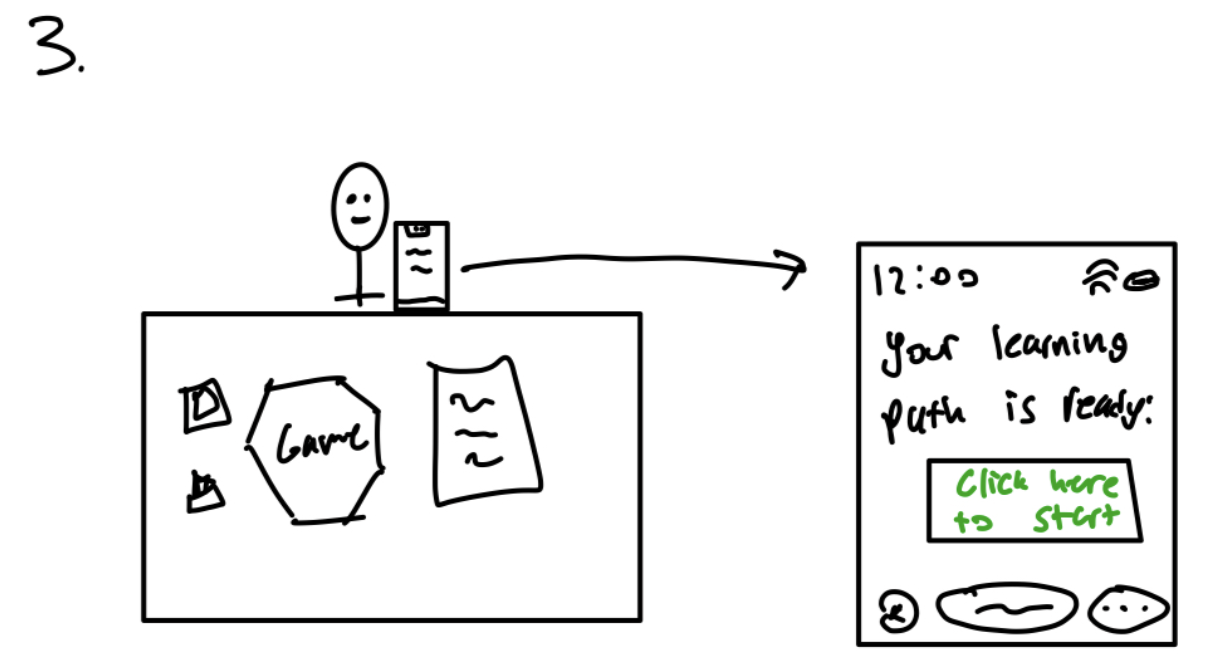 After John customizes his path the website prepares the materials which John can now view and begin his learning experience.
Panel 4:
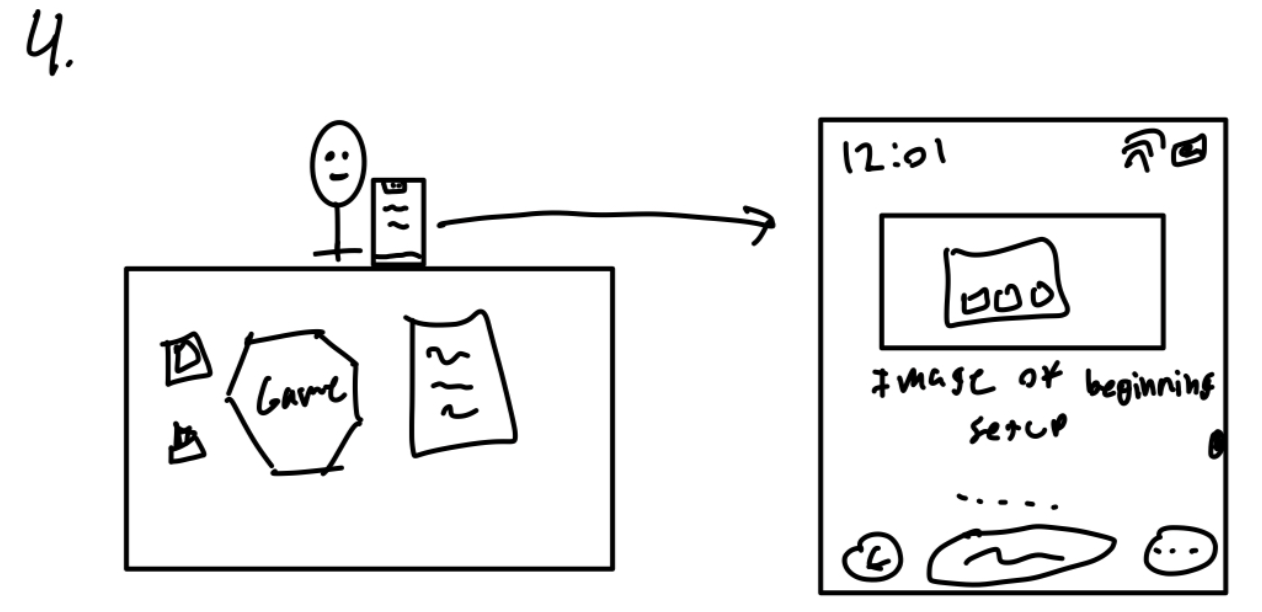 John is now viewing his learning path and one part of the path is an image of what the setup of the beginning of the game looks like. John can scroll to view more of his learning path.
Task 2: Learn the game using the personalized learning material The user uses hierarchical navigation to browse curated content. Storyboard 2 Link:
Storyboard 2
Panel 1:
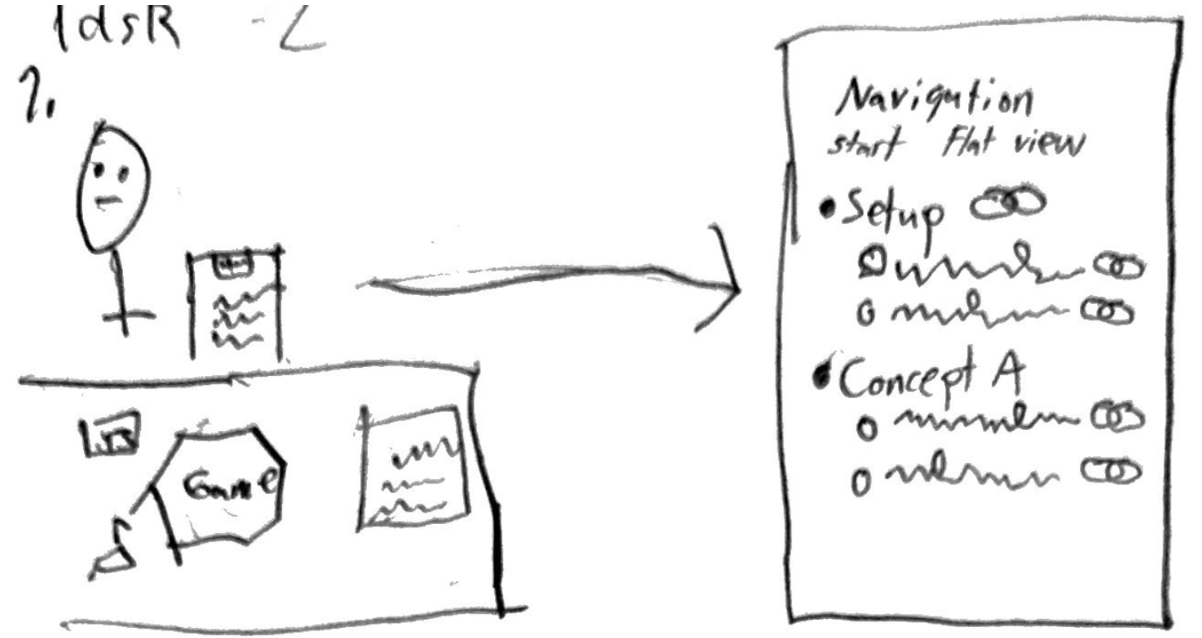 John begins navigating through the materials the app has curated for him. He begins by seeing a window titled “Navigation” followed by a row with two links “Start and Flat View.” After this row is a vertical list of links to content broken up by content. There is “Setup” with two sub-bullets and “Concept A” with two sub-bullets.
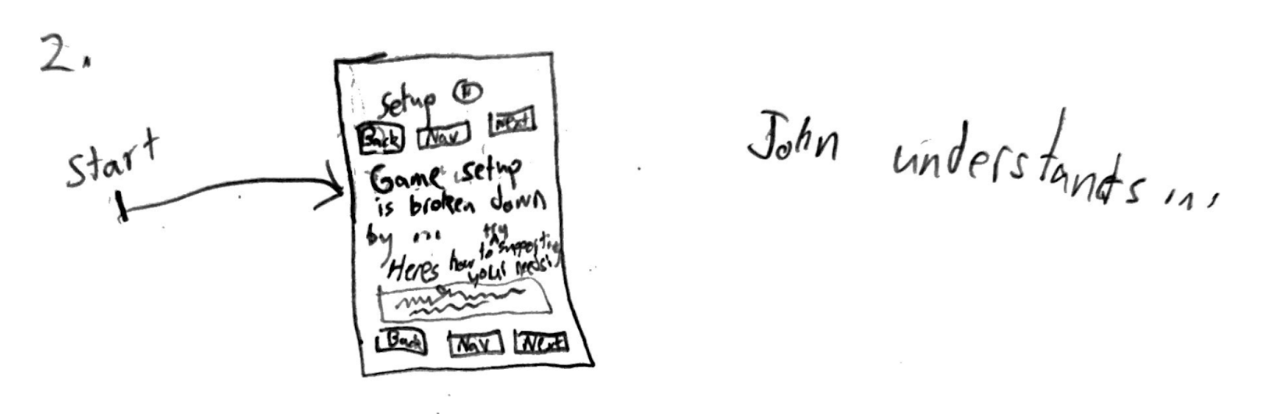 After pressing start, John views a description of the game setup in a window with heading “Setup”. Based on the setup of the learning pathway, John indicated that he has a disability that will make an aspect of the setup difficult to accomplish. We support John with a recommendation of how to support this need in the context of the game. On the page, there is also two identical rows of buttons before and after the content titled “Back,” “Nav,” and “Next.” We are told John understands this material.
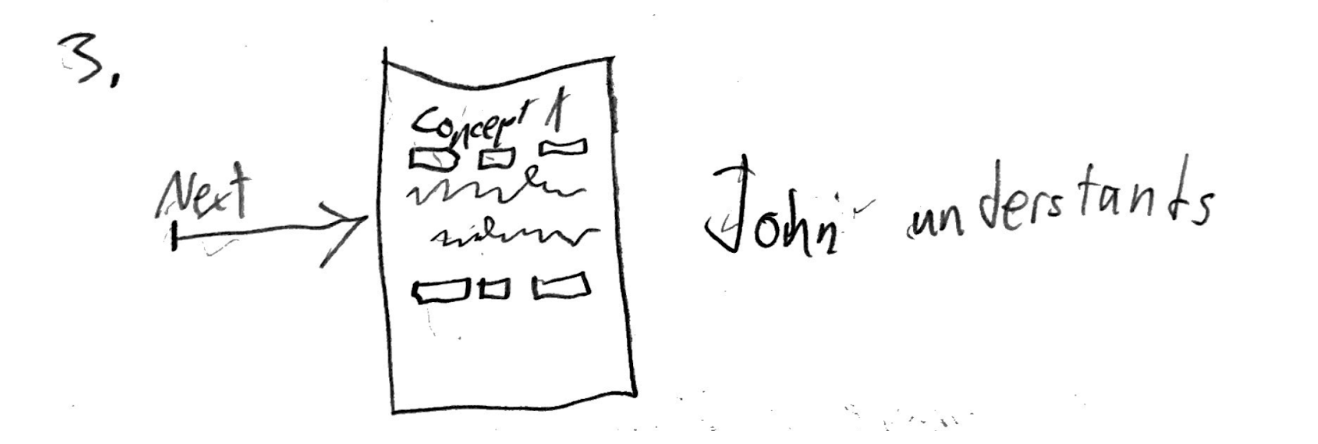 Having understood the setup, John presses “Next.” Pressing next yields a similar pane for Concept A. Here we assume that, based on the pathway setup, John prefers breadth-first navigation to depth-first navigation. John understands Concept A too.
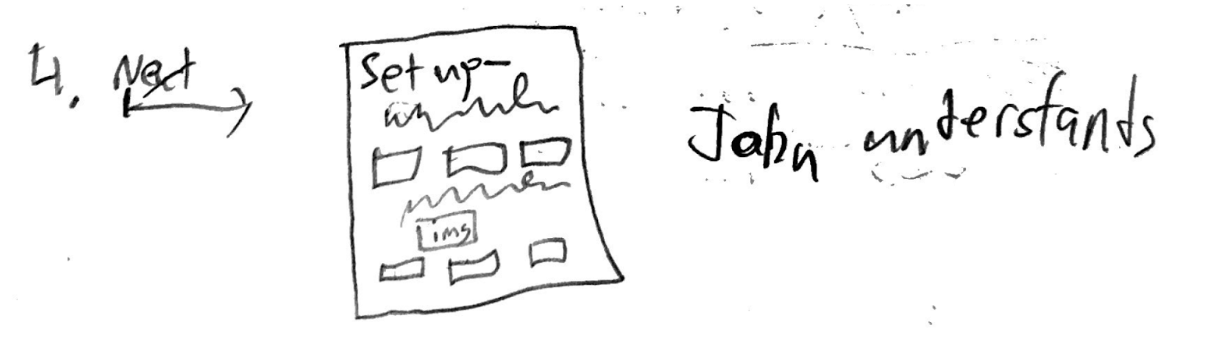 John continues to the first setup item by pressing next. Here, the heading is prefixed with “Setup-” followed by the title of the sub-item so that John knows where he is in the context of the rules. There is a representation of an image in the pane. John understands this information too.
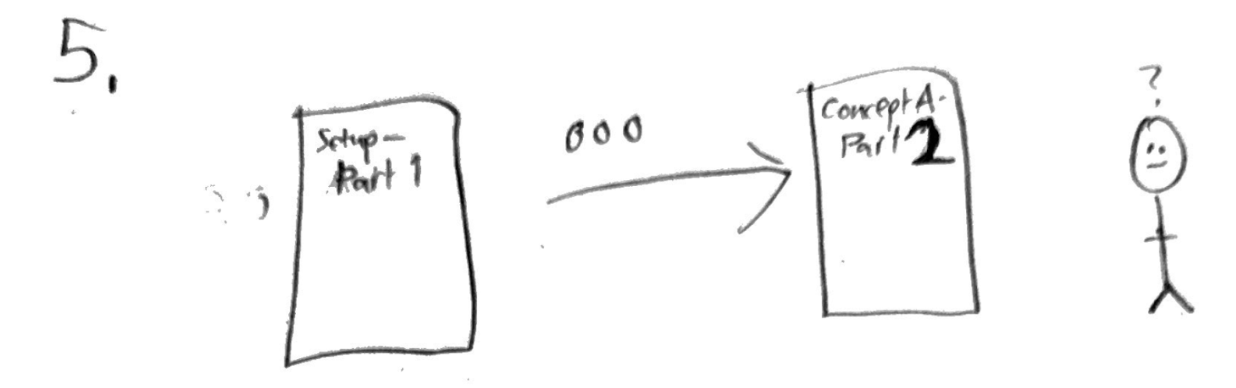 John continues navigating through the website till he reaches the second sub item of Concept A. After consuming the materials for Part 2, John is confused about something that came up…
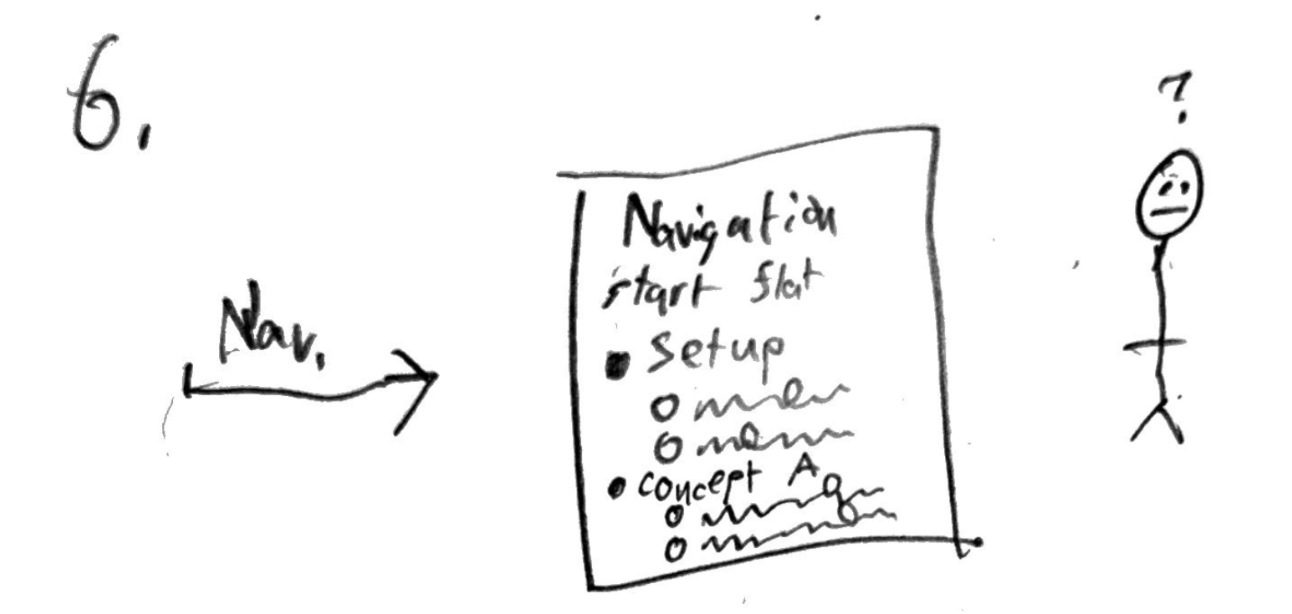 John presses the “Nav” button to return to the Navigation Pane, which is the same as in Panel 1. John is still in a confused state.
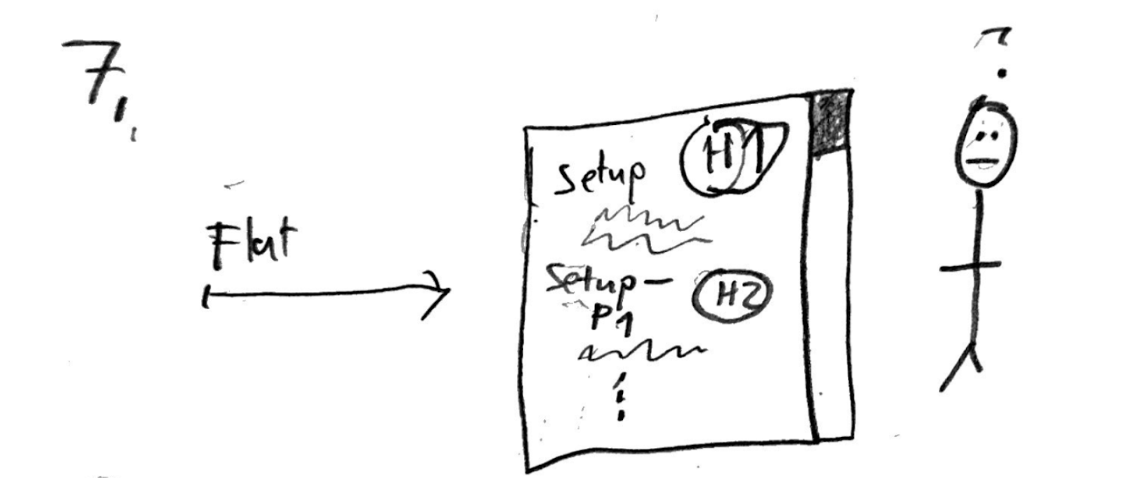 John tries going to the “Flat view” by pressing the button. All of the content on the screen is shown on a singular big screen with headings used to indicate hierarchy. John is still confused.
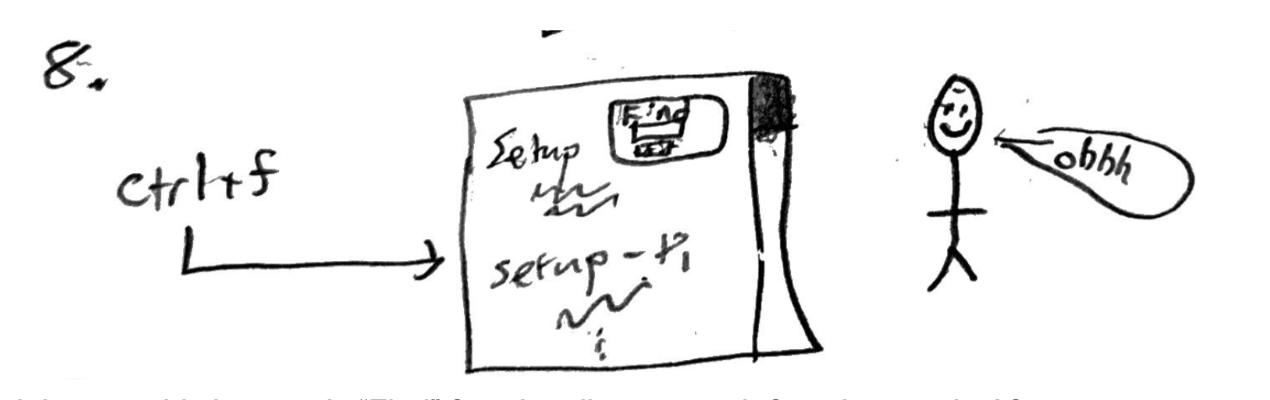 John uses his browser’s “Find” functionality to search for a keyword. After searching, John makes sense of the unclear idea. John smiles and exhales “ohhh.”
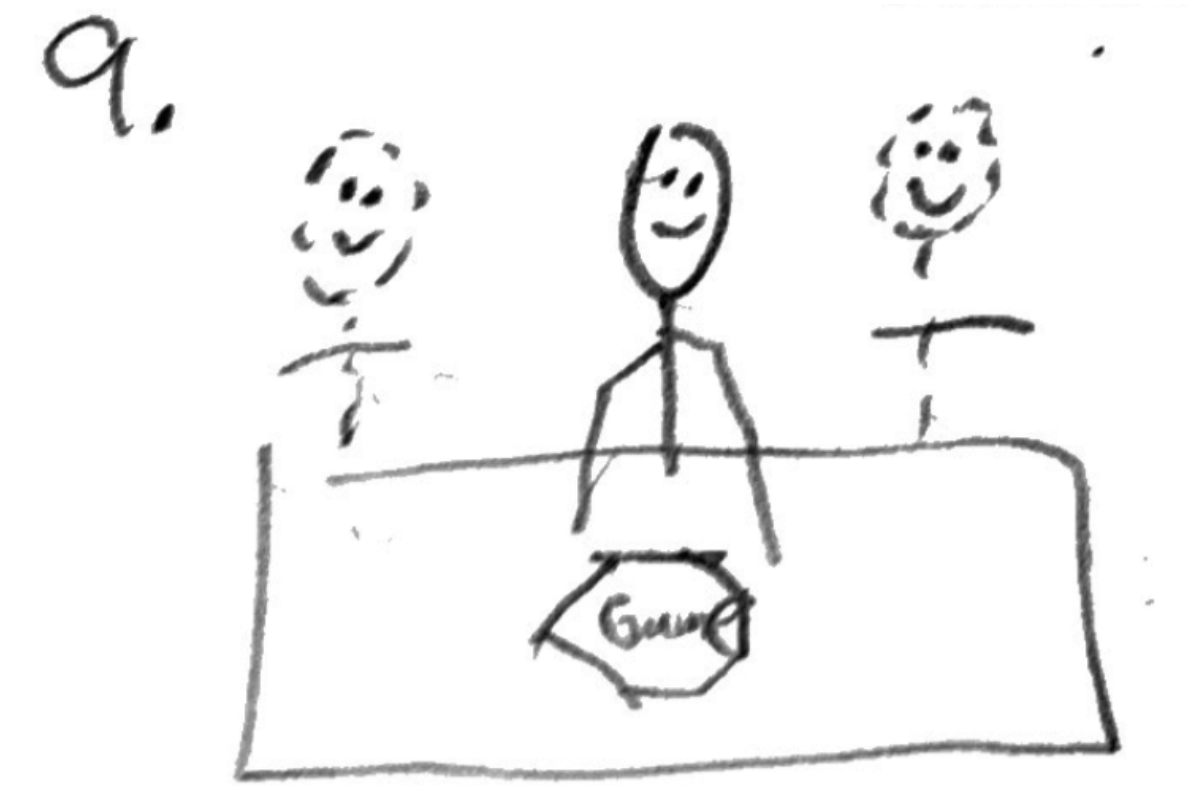 John is having fun playing the game with his friends.
Validation
Validation Plan
We will validate our prototype through an accessibility audit and a correctness check to ensure it works as expected and is usable. We will run an automated checker and document any issues and fixes, but we will also do manual testing. Manual checks will include completing the full flow with keyboard-only navigation (including focus order and no keyboard traps), doing a screen reader check to confirm headings are structured correctly and that buttons and form inputs have clear labels, and verifying color contrast and text resizing by testing zoom up to 200%. We will also test on mobile to make sure layouts remain usable, tap targets are large enough, and any images or icons have alt text or an equivalent text description.
Impact Analysis
We have thought deeply about how TableTop has met its goal of offering customizability to Pandemic learners. We have had a focus on supporting people with impaired vision. As such, we have ignored the impact of some disabilities such as deafness. We have, however, considered how accessibility barriers can arrise from TableTop under different levels of knowledge, language, and working memory.
To the positive, TableTop demonstrates that customizability can be used to expand access of tabletop games. Users can use TableTop to learn Pandemic without extensive boardgaming experience. This is a vast improvement over the rulebook. Further, with more accurate alt text, TableTop can be a more accessible source of rules than the pdf that is currently what publisher Z-Man offers online. Further, TableTop supports multiple learning styles by curating content based on what users find important. Based on James Cole’s teaching article, we understand the importance of supporting different learning styles. Put simply, TableTop provides helpful services to disabled learners.
However, TableTop is highly likely to impact disabled users negatively by introducing access barriers. Some background knowledge about games is needed to yield satisfactory learning experiences. Further, our tool relies on people knowing how they best learn. Finally, the website needs fluency for users to be able to navigate and process the information well.
See the full impact assessment for details.
Accessibility Audit
We have assessed how well the website conforms to the World Wide Web Consortium’s Web Content Accessibility Guidelines (WCAG) 2.2. The full audit is available from markdown file WCAG_audit.md. Here, we restate the problems we found.
In summary, there are currently issues of alternative text, contrast and accessibility semantics.
First, some images are described poorly by the alt text. This is a big accessibility concern because it limits the ability of people to learn the information we present.
Namely, some buttons and button text have low contrast against their backgrounds. Specifically, buttons blend into the page background. Alongside this, button text blends into the buttons.
Accessibility semantics are an issue of how content is presented through HTML and CSS. Specifically, sometimes relationships among elements are only present through styling. Therefore, the grouping semantics are unavailable to accessibility technologies.
Further, we currently prefer changing page zoom over increasing text size. Increasing text size alone leads to an early need for 2-D scrolling. The need is not certain. Specifically, the need is based on how wide the viewport (the pane) is.
Timeline
By Milestone one we hope to have the basic skeleton of our website with placeholders and UI elements. We will also have a specific board game to base our website off of. The goal is for the game to be very known and understood by at least 2 members. By week 10 we want to have the UI of our app in its final stages, we want the website to be functioning how we want, and most of the actual game content that will be necessary collected and ready to be integrated into the website. With these tasks done we should be able to validate the project as planned. By the final presentation we should have iterated upon our validations and have a completed project. A website that helps a user customize a learning path of a certain game and provides said learning path. Our goal is for the website to help 3 distinct categories of users. We will also have created a logo for our poster and finalize the contents of the poster as a group. Once we feel that our poster is ready we will print it out and we will practice presenting as a group so we are ready to present to others.
Feasibility Analysis
Our project is technically feasible within the class timeline because it is a web-based prototype that focuses on one game and a small number of learning tasks. We plan to build the site using React and TypeScript, which our group is fairly comfortable with. For validation, we will use assistive technologies and auditing tools we have already practiced in class since we all have experience with them, if we have the time we may use more. The main challenge we anticipate is scope: allowing users to select many learning preferences could create too many paths to implement and too much content to write and maintain. To manage this risk, our plan is to keep personalization limited to a manageable set of options. If we run into time constraints, our fallback plan is to reduce the number of learning options. In terms of timeline feasibility, we will divide work so that the coding (site skeleton, preference logic, responsive UI) happens in parallel with content writing and citations. Each member can commit 5-7 hours per week, and our weekly goals will adhere to our timeline. The biggest risks are content volume and keeping the interface accessible across devices, but we will address these by limiting the number of required pages/topics and validating the project.