LabsLand N8 Controller Tutorial
Introduction
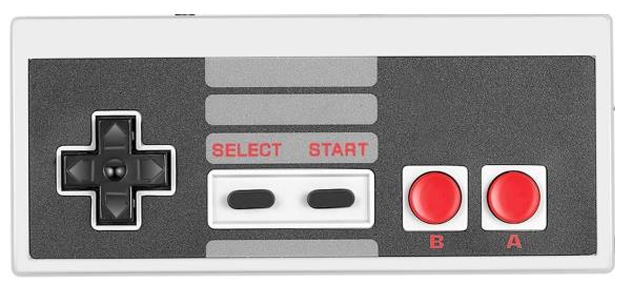
This tutorial provides a method for using the N8 controller input on LabsLand, which is a simulator of the Nintendo N8 controller:
Web Interface
You must select the "Full experience with N8" user interface, which also includes VGA output and audio input/output. The "Configure" button will allow you to upload audio files if you intend to use the audio features of this interface.
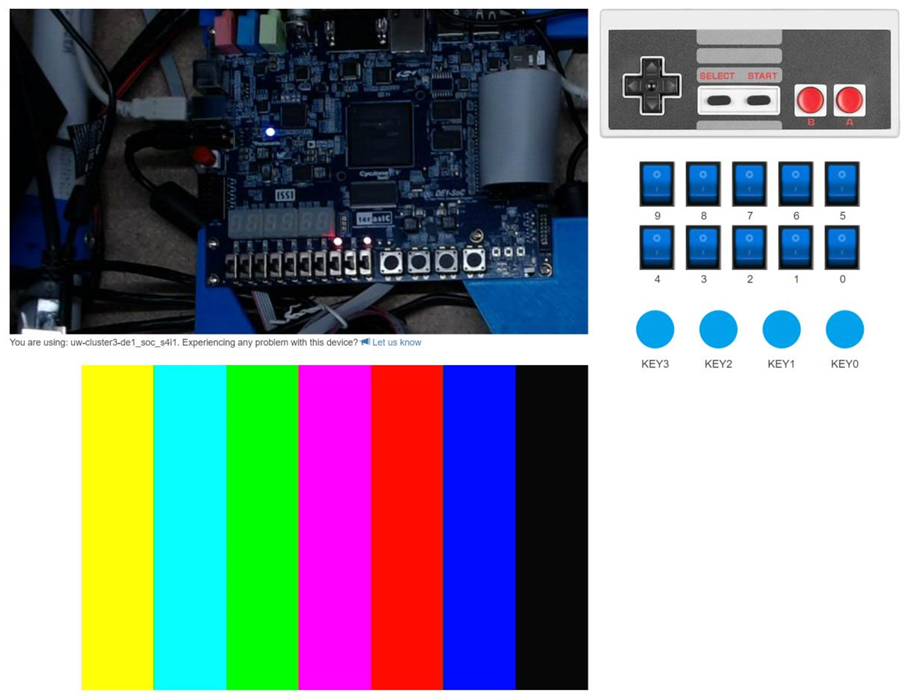
Each of the 8 buttons (up, down, left, right, select, start, B, A) are clickable on the image of the controller using your mouse. However, the mouse does limit you to clicking a single button at a time. To overcome this limitation, there is also a keyboard interface for the controller buttons:
- AWSD for left (A), up (W), down (S), right (D).
- HJKL in the same order as in the controller: H (select), J (start), K (B), L (A).
Using the N8 Controller
Provided code
- serial_driver.sv — A generic serial driver for communicating with the LabsLand FPGA management system (a Raspberry Pico).
-
n8_driver.sv — The driver that converts the
serialized data from
serial_driverto the N8 interface (i.e., individual button signals). -
n8_example.sv — Example code that uses
n8_driverto read the button inputs and then show any asserted values on the DE1-SoC outputs. Intended to be a starting point for your own project. - n8_display.sv — Helper module to display N8 signals on the HEX displays. Not needed if you plan to use different output methods for your project.
Driver Ports
input clk,
input data_in, // connect to V_GPIO[28]
output reg latch, // connect to V_GPIO[26]
output reg pulse, // connect to V_GPIO[27]
output reg up, // outputs for the corresponding button
output reg down,
output reg left,
output reg right,
output reg select,
output reg start,
output reg a,
output reg b
);
Tutorial developed by LabsLand and modified by Justin Hsia. Code supplied by LabsLand.